Test scheduled scaling solution
Overview
ℹ️ Information: Scheduled Scaling enables you to configure your Auto Scaling Group to automatically adjust capacity based on predictable load changes. This approach is ideal for workloads with consistent patterns that occur at specific times daily, weekly, or seasonally.
Test Environment Setup
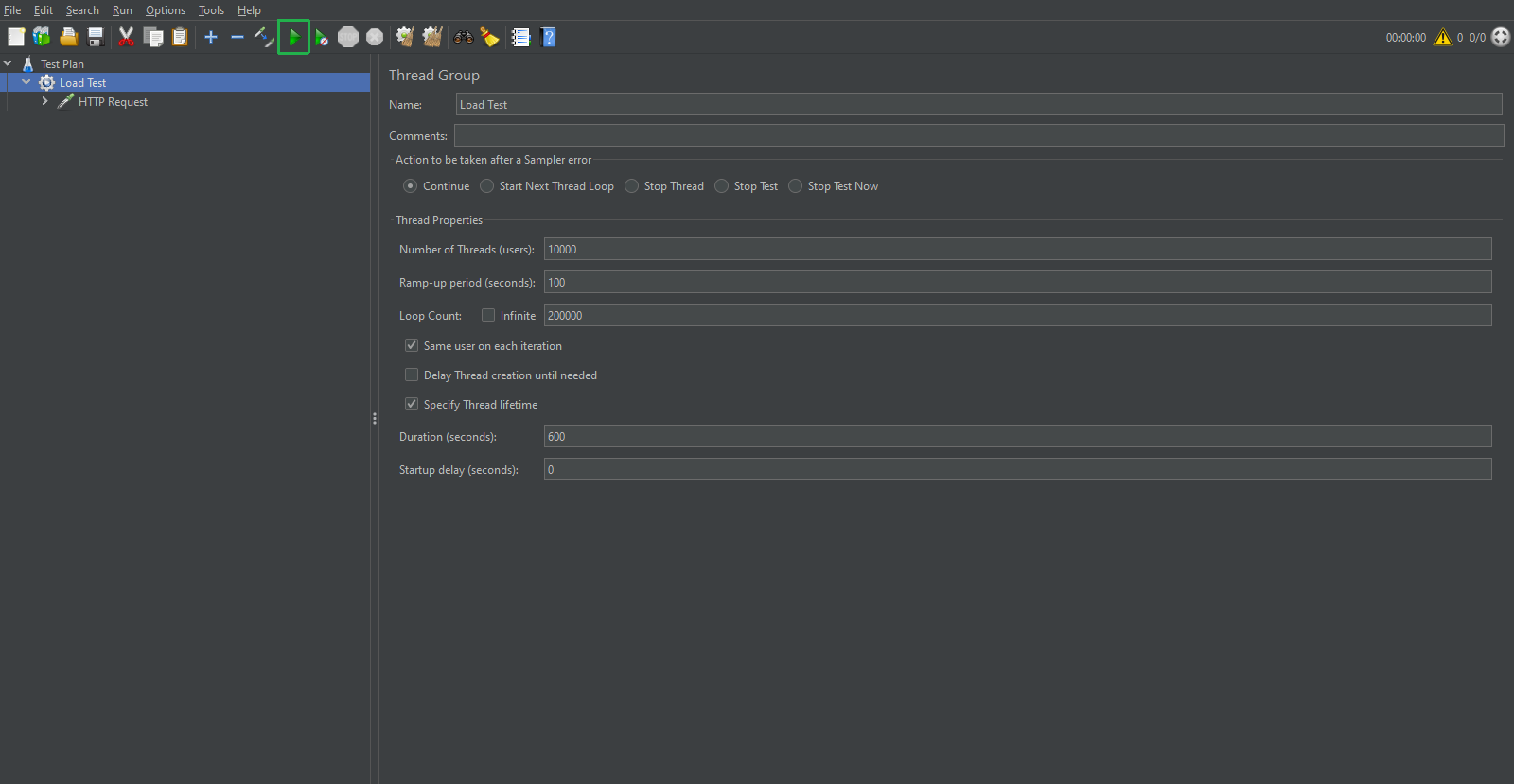
Since we’ve already configured our load testing environment in the previous section, we’ll continue using those settings for consistency in our comparison of scaling methods.
Configuring Scheduled Scaling
To implement scheduled scaling:
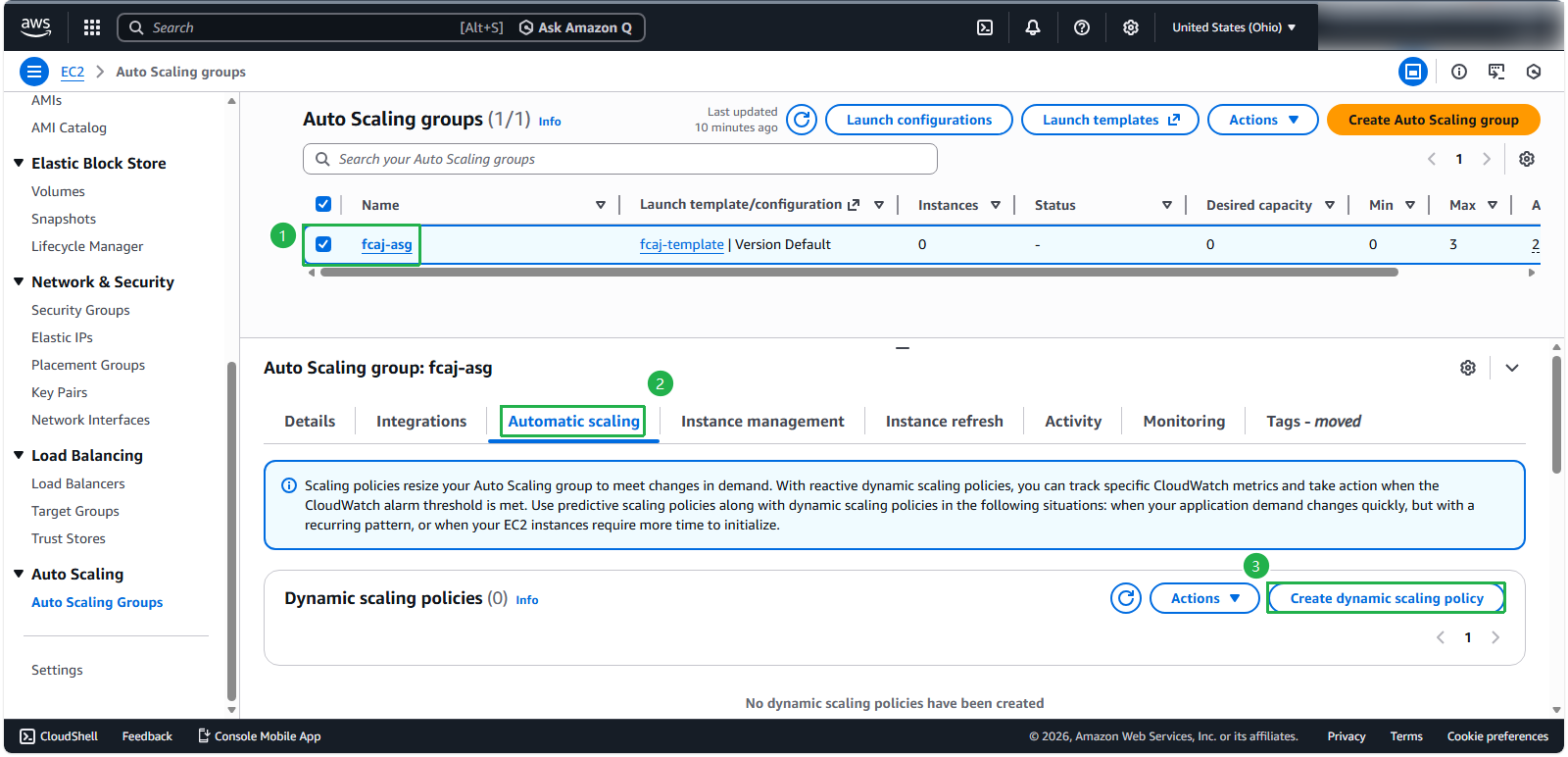
- Navigate to your Auto Scaling Group details page
- Select the Automatic scaling tab
- Scroll to the Scheduled actions section at the bottom of the page
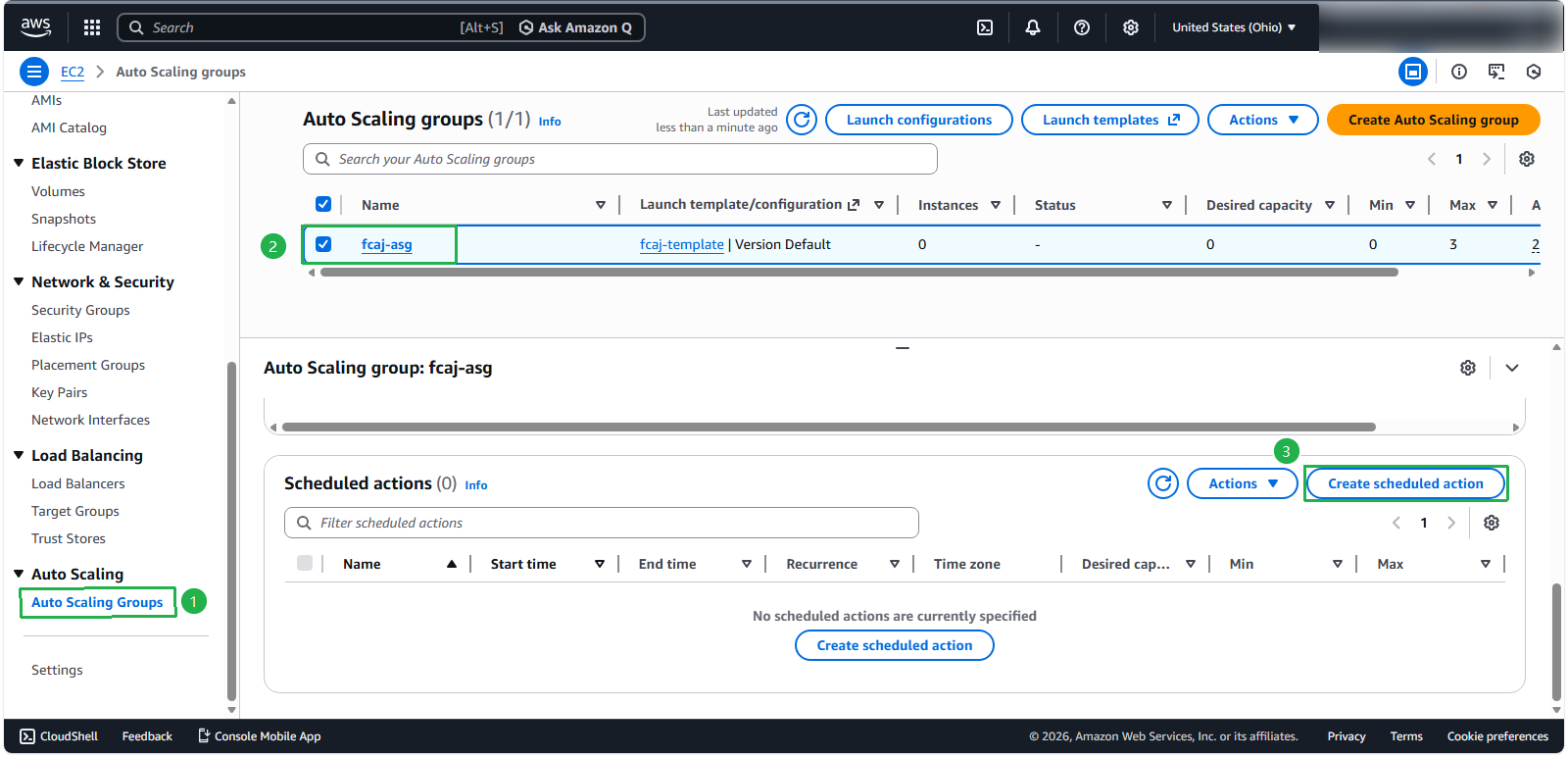
- Click Create scheduled action
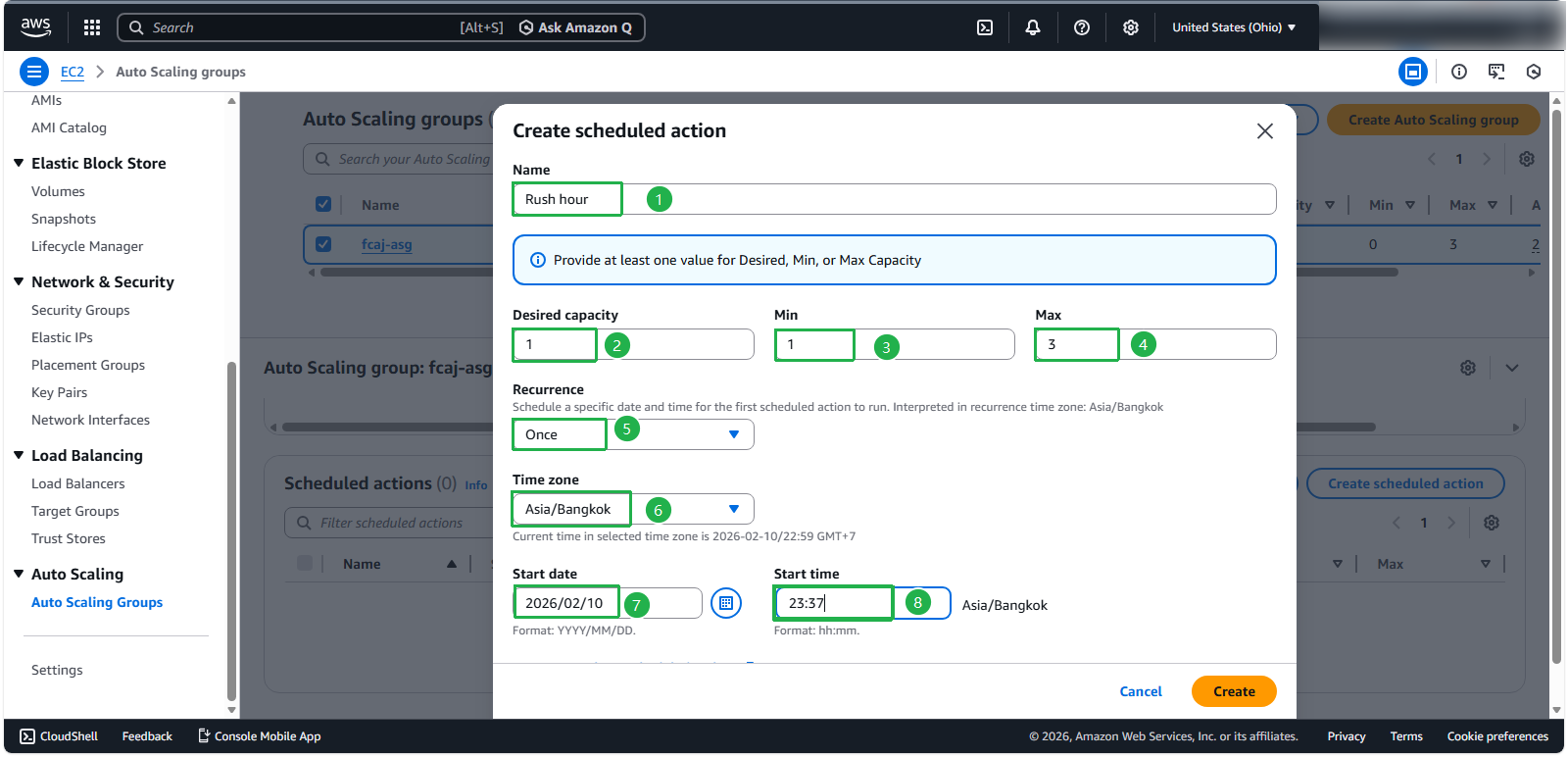
- Configure the scheduled action with these parameters:
- Name:
Rush hour - Desired capacity: 1
- Min: 1 (can be set to 0 depending on your requirements)
- Max: 3
- Recurrence: Once (or select another pattern as needed)
- Time zone: Asia/Bangkok (select your appropriate time zone)
- Specific start time: Set to the nearest time from your current configuration
- Click Create to implement the scheduled action
- Name:
⚠️ Warning: The Desired capacity, Min, and Max parameters will override the corresponding ASG settings during the scheduled period. When implementing multiple scaling types in production, carefully consider how these values interact with other scaling policies.
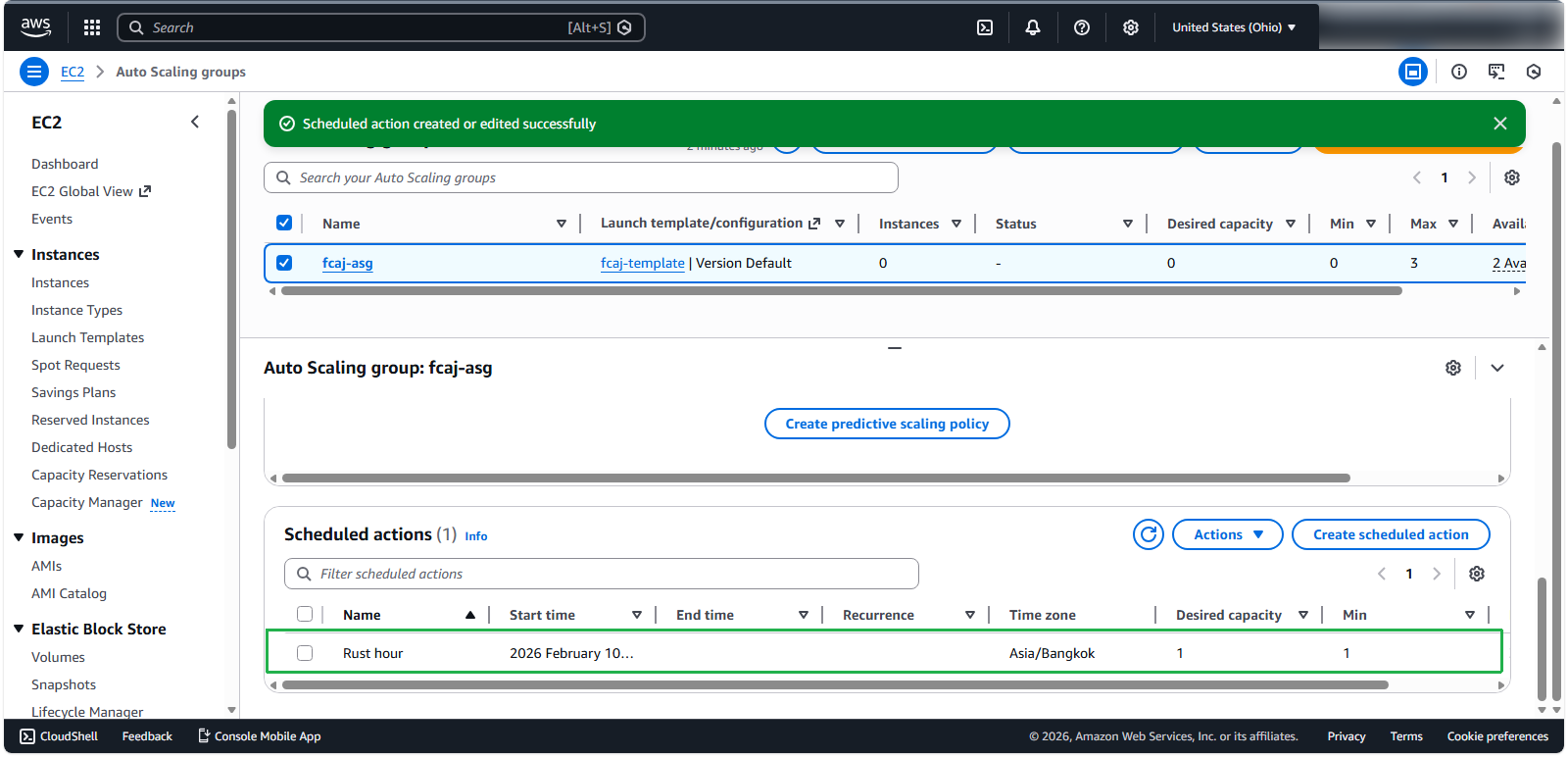
After successful creation, you’ll see your scheduled action in the list:
Testing the Scheduled Scaling
For effective testing:
- Start your load testing program approximately 5 minutes before the scheduled scaling action is set to trigger
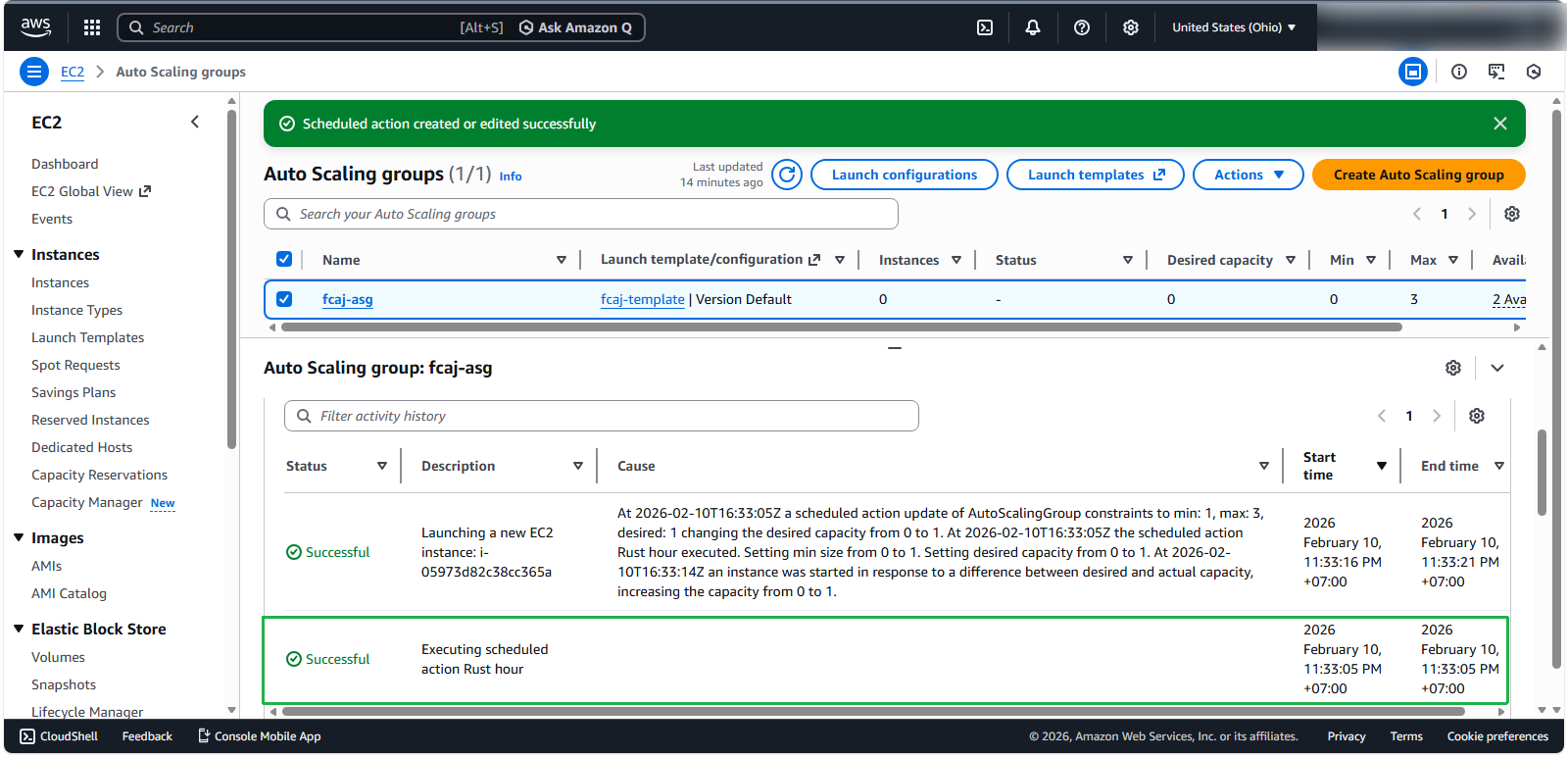
- When the scheduled time arrives, monitor the Activity tab of your ASG
- You should observe the Executing scheduled action Rush hour event triggering at the configured time, followed by the launch of a new instance
Analyzing the Results
To evaluate the effectiveness of scheduled scaling:
- Return to the EC2 Console and examine the instance metrics (note that metrics update every 15 minutes)
- Focus on the CPU Utilization chart to observe the impact of your test
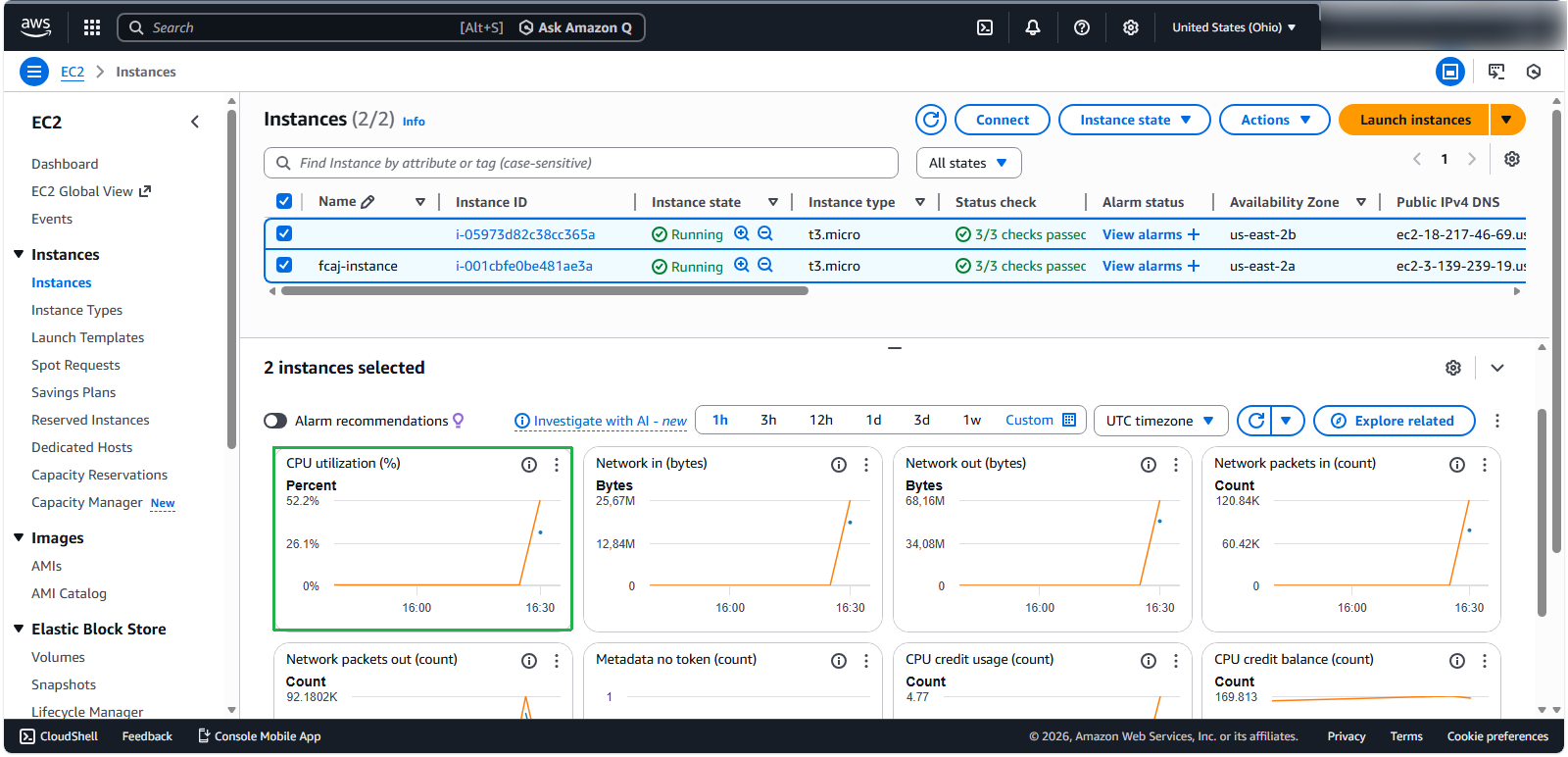
💡 Pro tip: In this example, you can see a CPU utilization spike between 16:00 and 16:30, which corresponds to when we initiated the load test. After the new instance was added by the scheduled action, the load was distributed, resulting in the subsequent decline.
Real-World Applications
ℹ️ Information: Scheduled Scaling is particularly valuable for applications with predictable usage patterns:
- Financial trading platforms with market opening/closing traffic spikes
- E-commerce sites during daily peak shopping hours
- Enterprise applications with business-hour usage patterns
- Batch processing jobs that run at specific times
🔒 Security Note: While scheduled scaling helps optimize resource utilization, it’s important to maintain minimum capacity levels that can handle unexpected traffic surges or potential DDoS attacks outside of scheduled scaling periods.
Conclusion
Scheduled Scaling provides a proactive approach to capacity management for workloads with predictable patterns. However, for maximum resilience and cost efficiency, AWS recommends combining scheduled scaling with other scaling types:
- Use scheduled scaling for predictable, time-based patterns
- Implement dynamic scaling to handle unexpected traffic variations
- Consider predictive scaling for workloads with complex but recurring patterns
This multi-layered approach ensures your application remains responsive while optimizing resource utilization and cost.