Create Launch Template
Overview
ℹ️ Information: In this section, we’ll create a Launch Template using an Amazon Machine Image (AMI) from our existing EC2 instance. This approach ensures consistent deployment of our application across multiple instances.
Understanding AMIs and Launch Templates
ℹ️ Information: Amazon Machine Images (AMIs) capture the complete state of an EC2 instance, including the operating system, applications, and configurations. Launch Templates define the complete instance configuration, including AMI, instance type, networking, and security settings, enabling consistent and repeatable deployments.
Creating an Amazon Machine Image (AMI)
To create an AMI from your existing EC2 instance:
- Navigate to the EC2 console
- In the left navigation pane, select Instances
- Select the fcaj-instance
- Click Actions → Image and templates → Create image
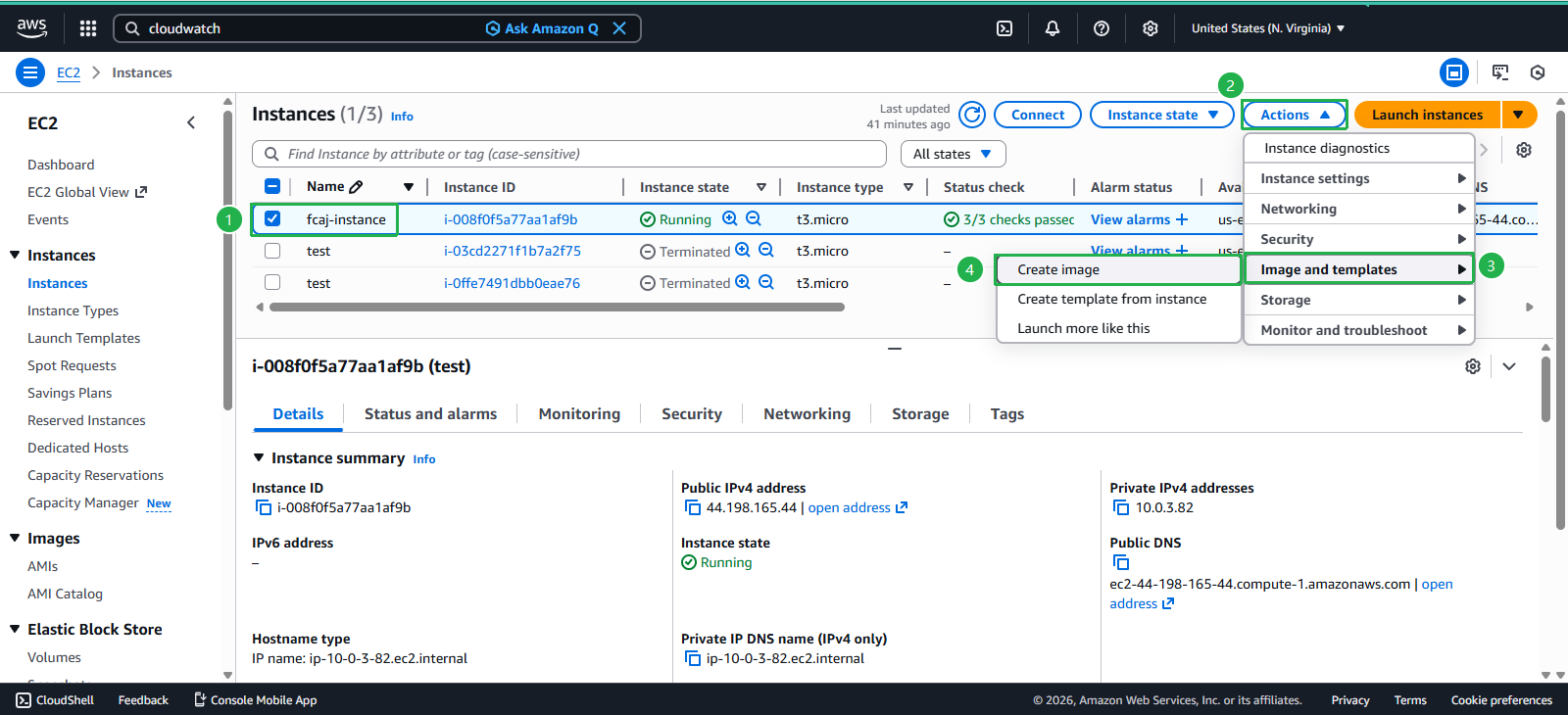
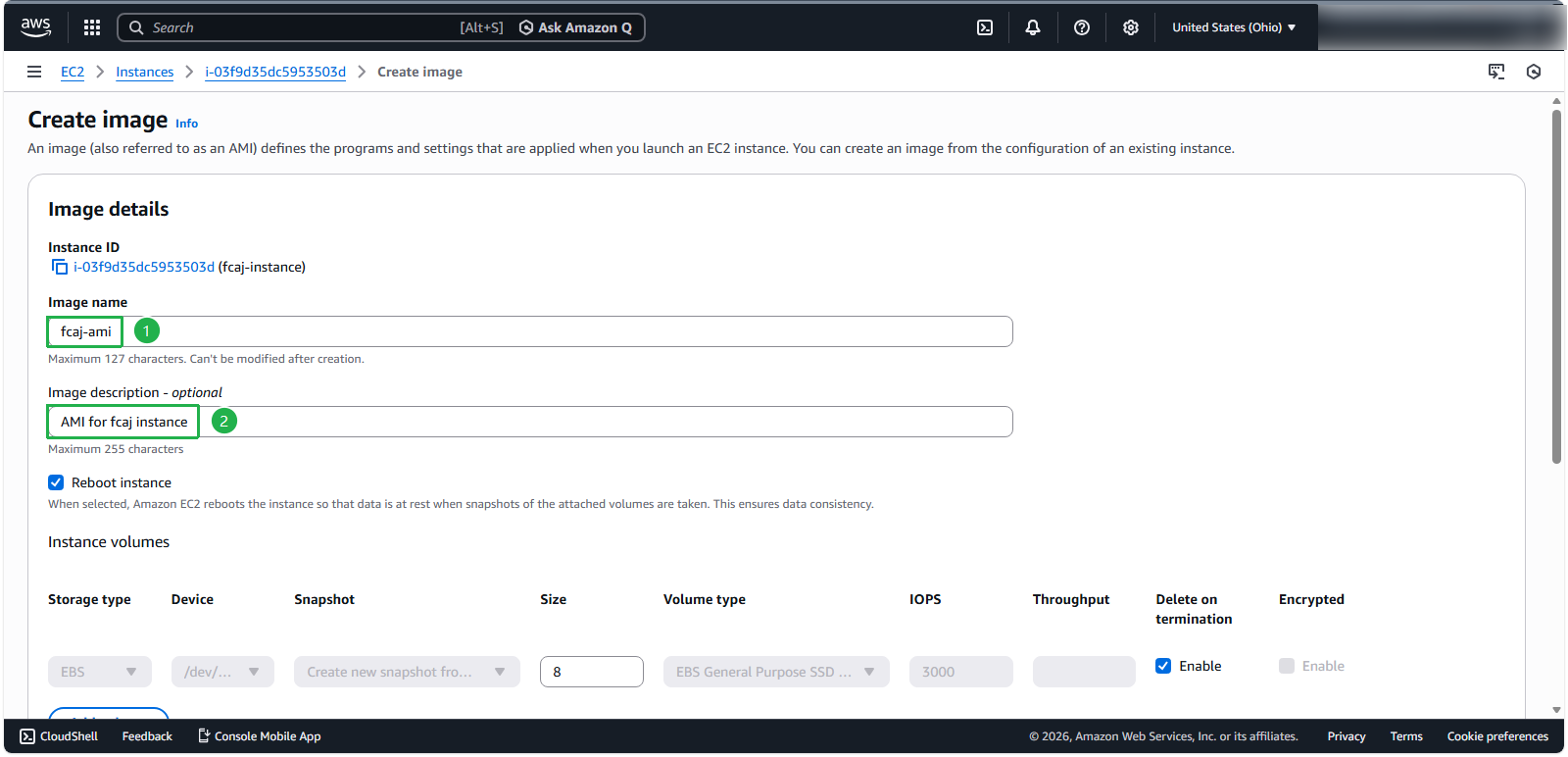
- Configure the AMI with the following settings:
- Image name:
fcaj-ami - Image description:
AMI for fcaj instance - Click Create Image
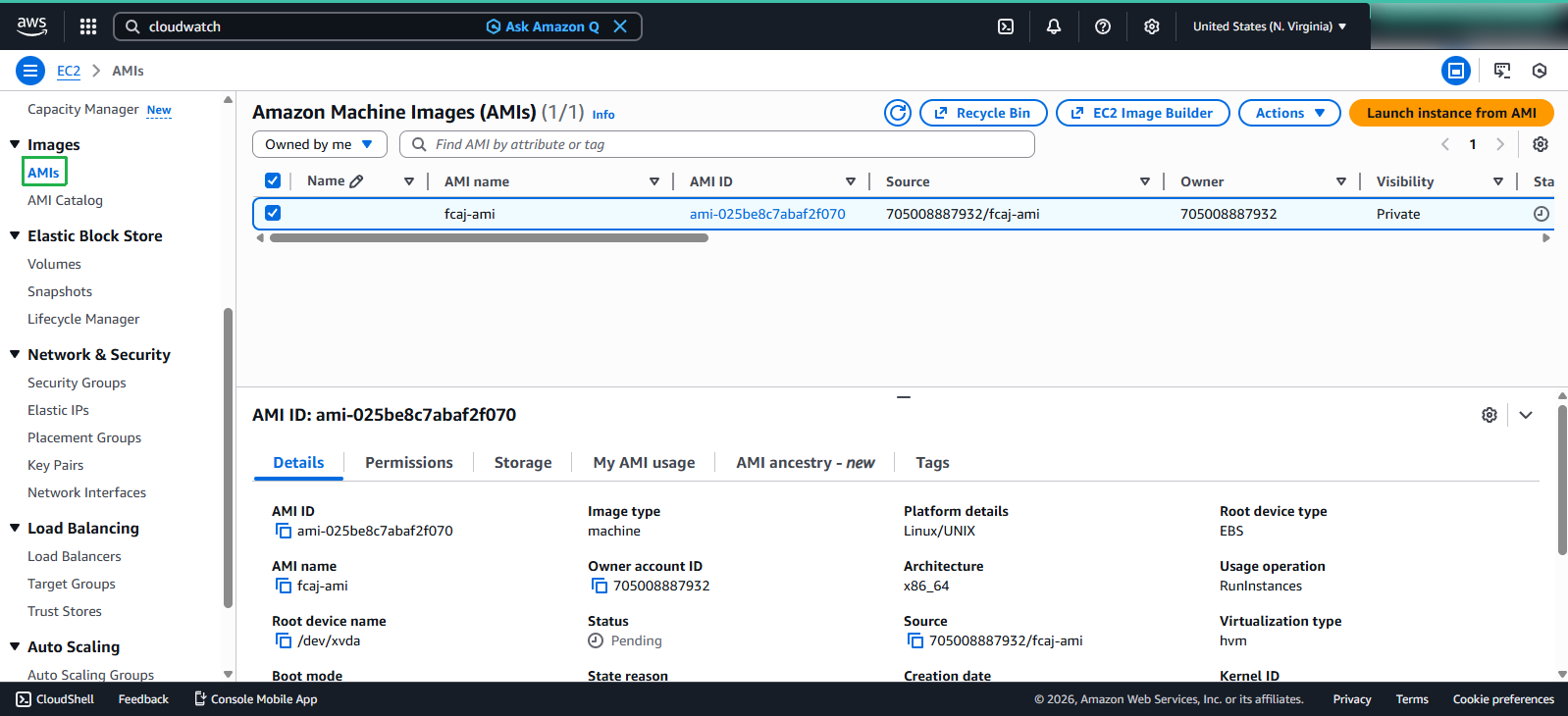
Verify the AMI creation:
- In the left navigation pane, select AMIs
- Locate and select fcaj-ami
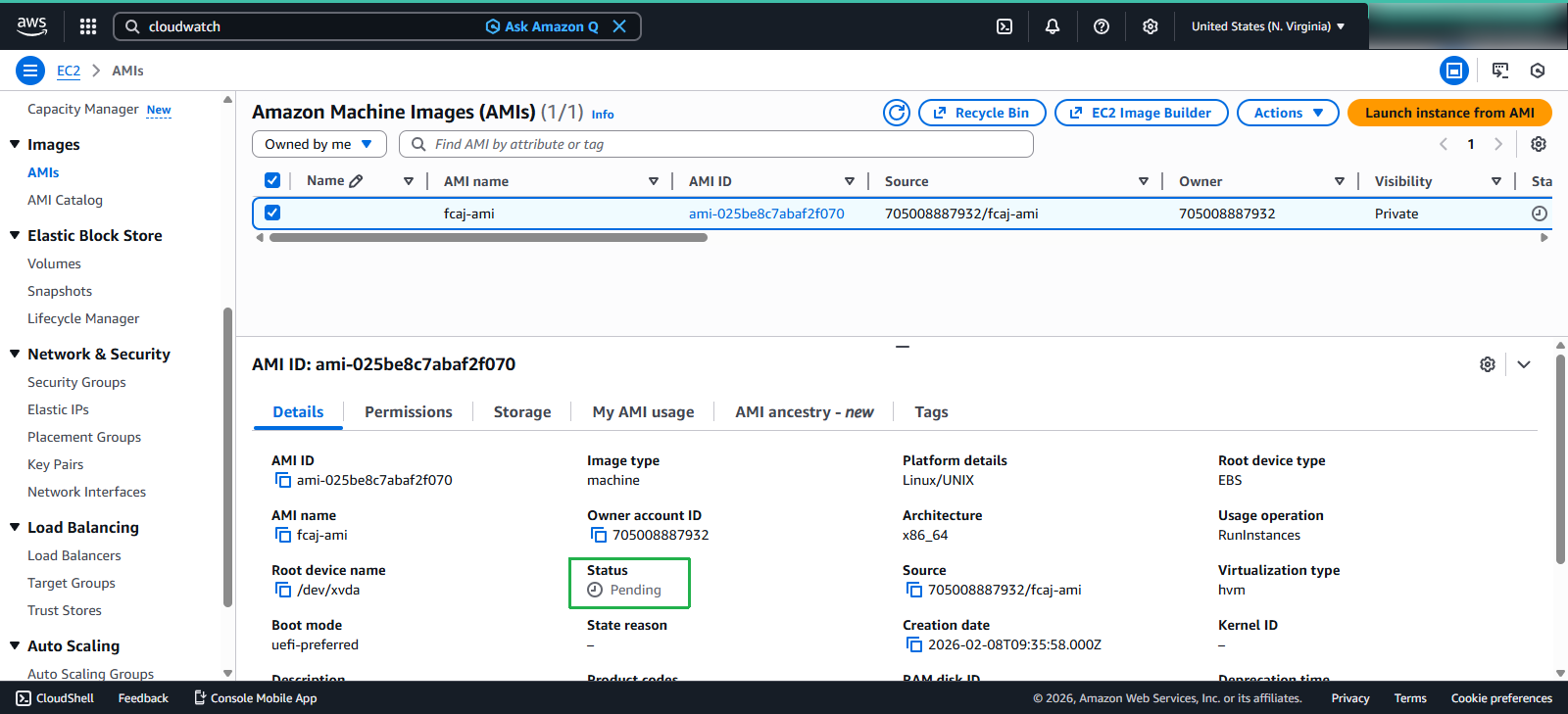
⚠️ Warning: The AMI creation process takes approximately 3 minutes to complete. Wait until the Status changes to Available before proceeding.
Creating a Launch Template
Once your AMI is available, create a Launch Template:
- In the EC2 console, select Launch Templates from the left navigation pane
- Click Create launch template
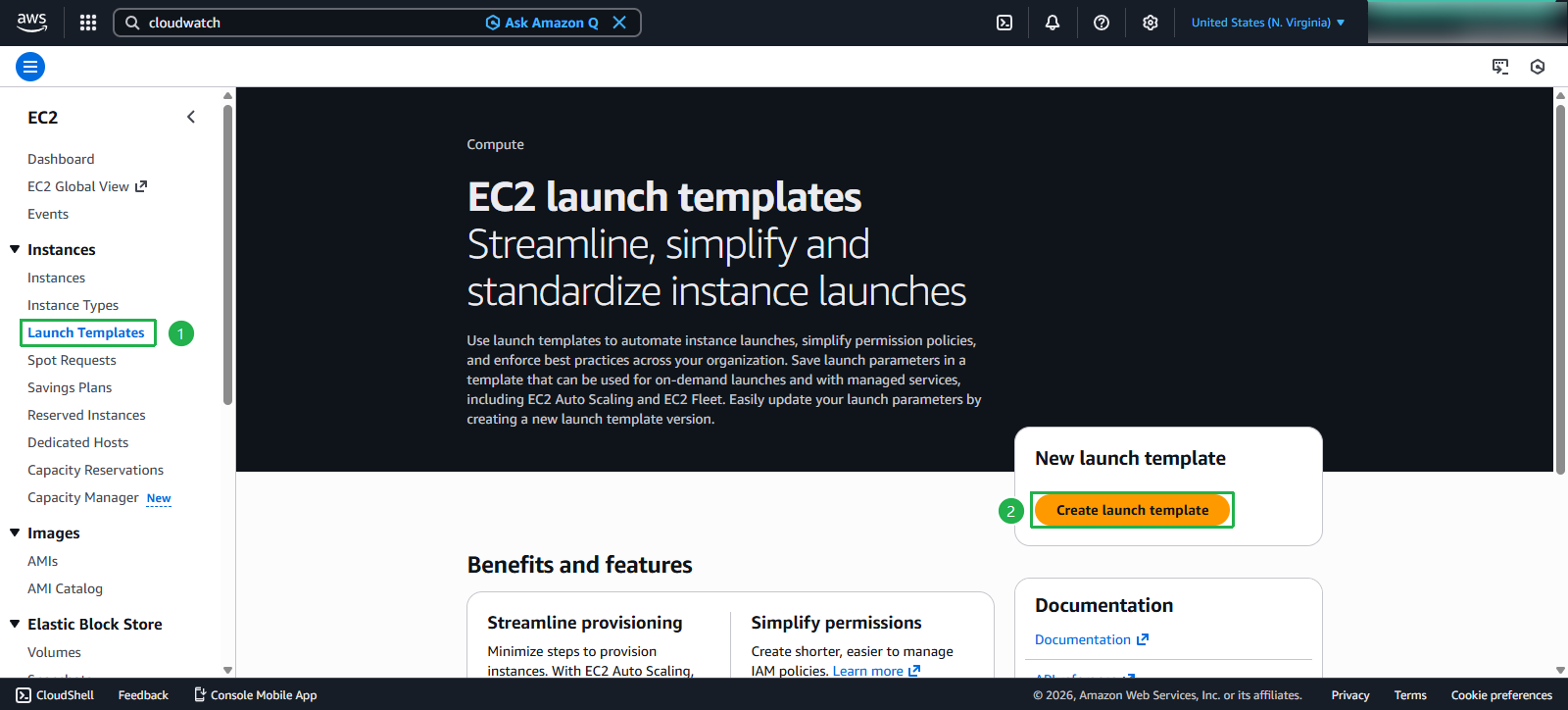
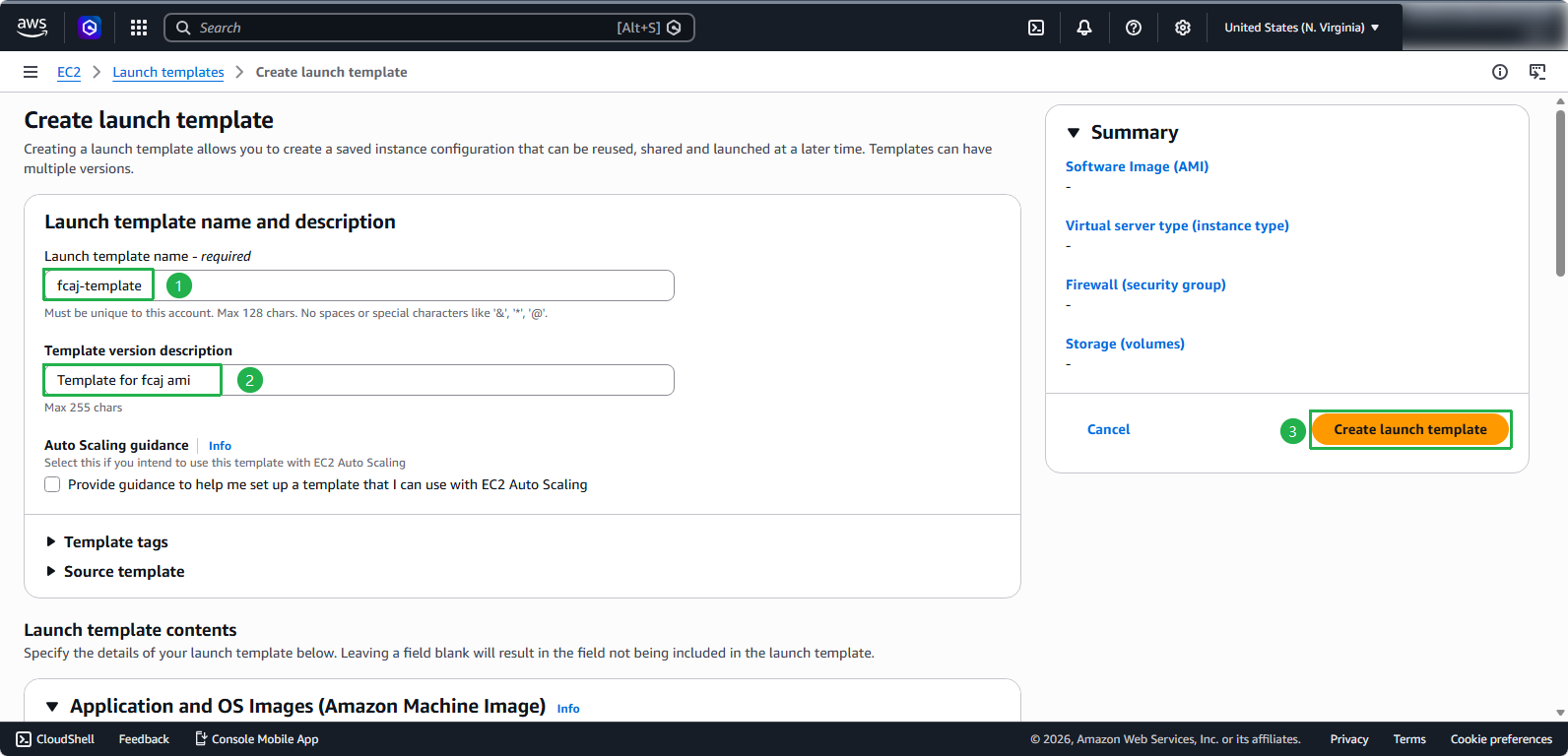
- Configure the basic template information:
- Launch template name:
fcaj-template - Template version description:
Template for fcaj ami
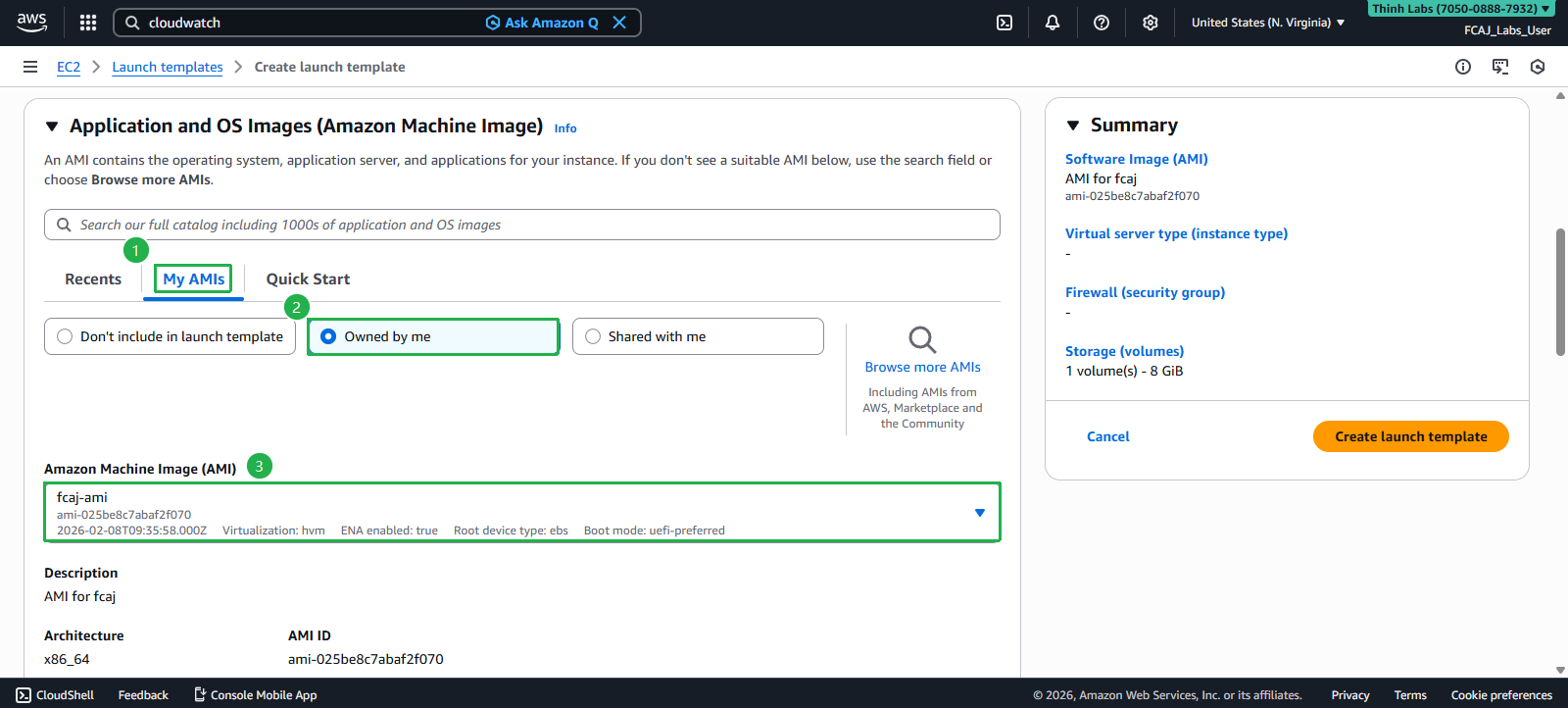
- Configure the AMI and instance specifications:
- Under Application and OS Image: - Select My AMIs - Choose Owned by me - Select the fcaj-ami you created earlier
- Configure instance details:
- Instance type: t3.micro
- Key pair: fcaj-key
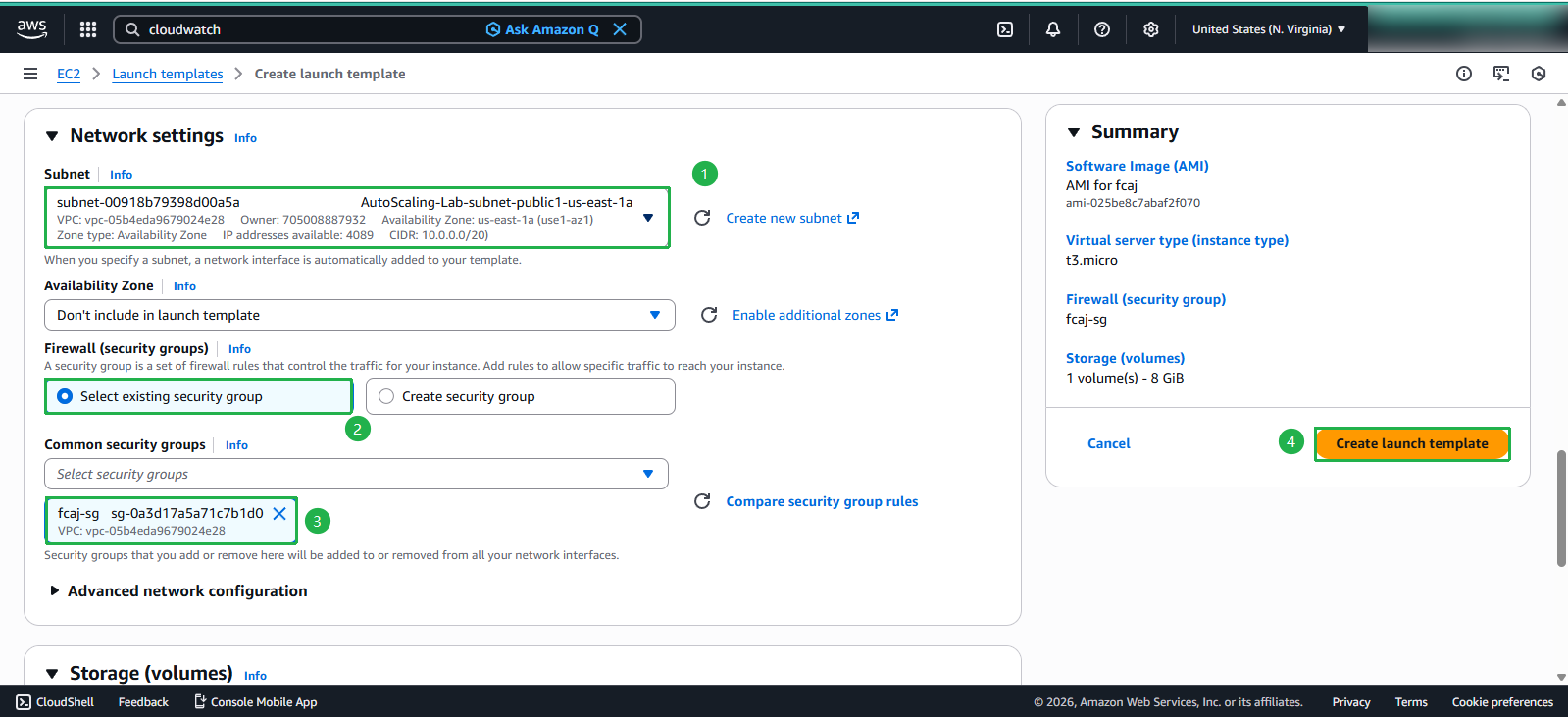
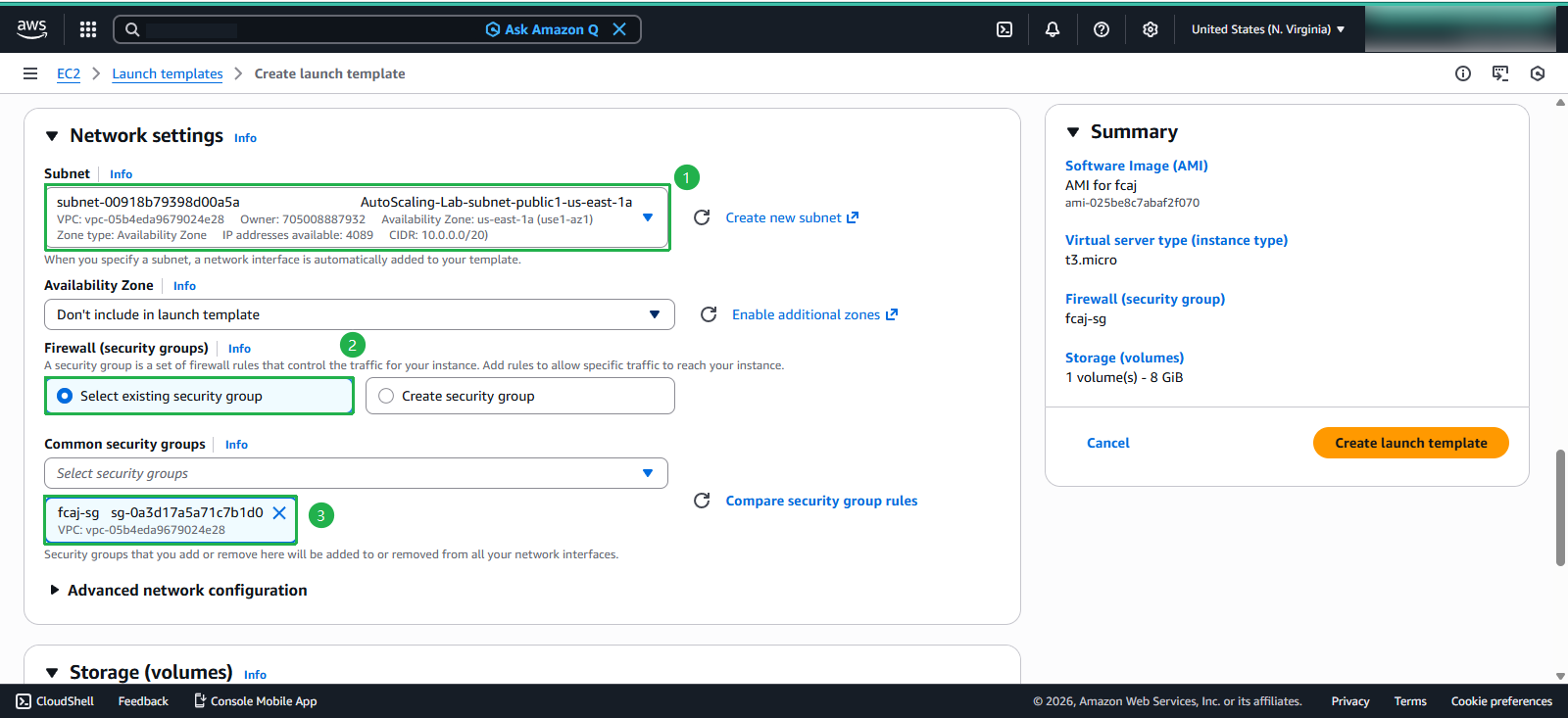
- Configure network settings:
- Subnet:
AutoScaling-Lab-public-us-east-1a - Security group: Select Select existing security group and choose fcaj-sg
- Click Create launch template
- Subnet:
Verifying the Launch Template
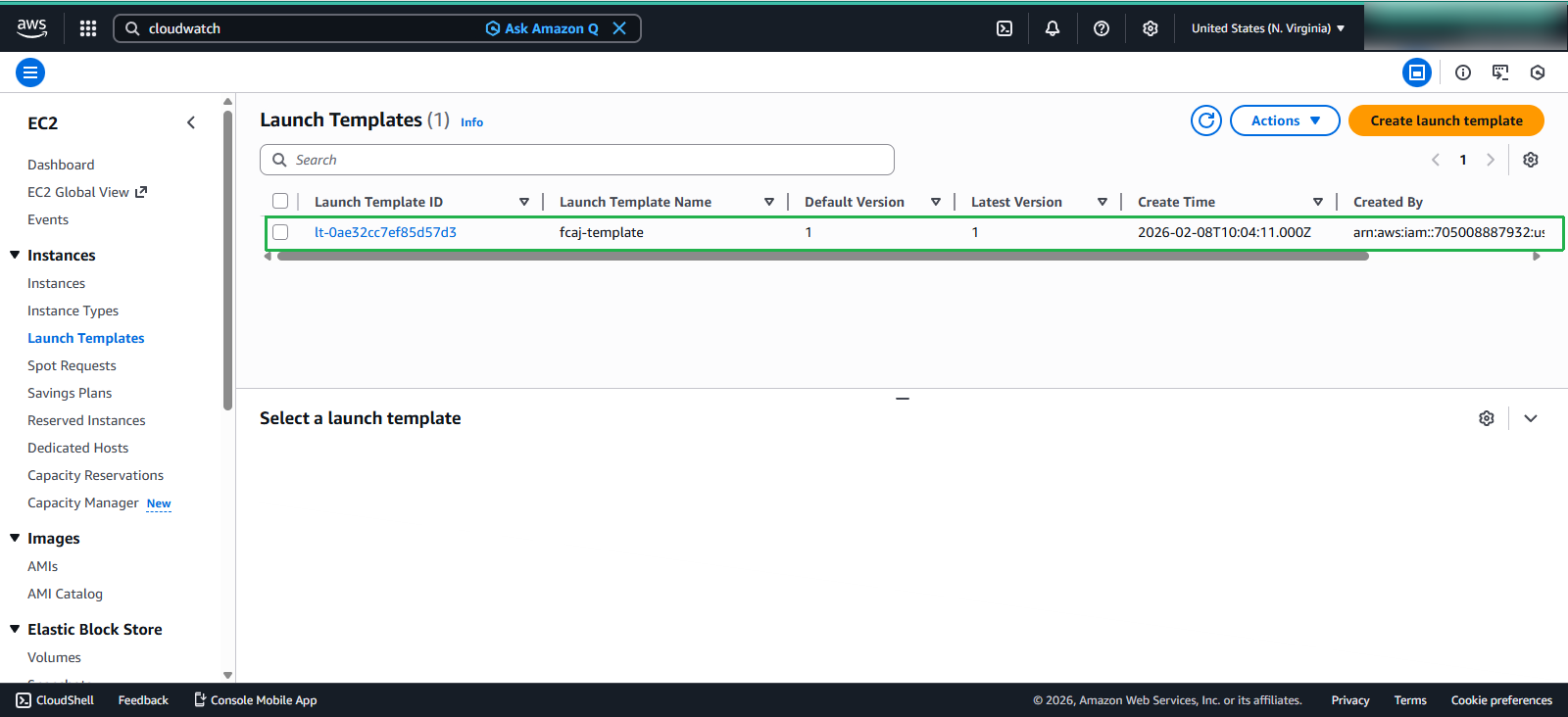
After creation, verify your Launch Template:
- Select fcaj-template from the Launch Templates list
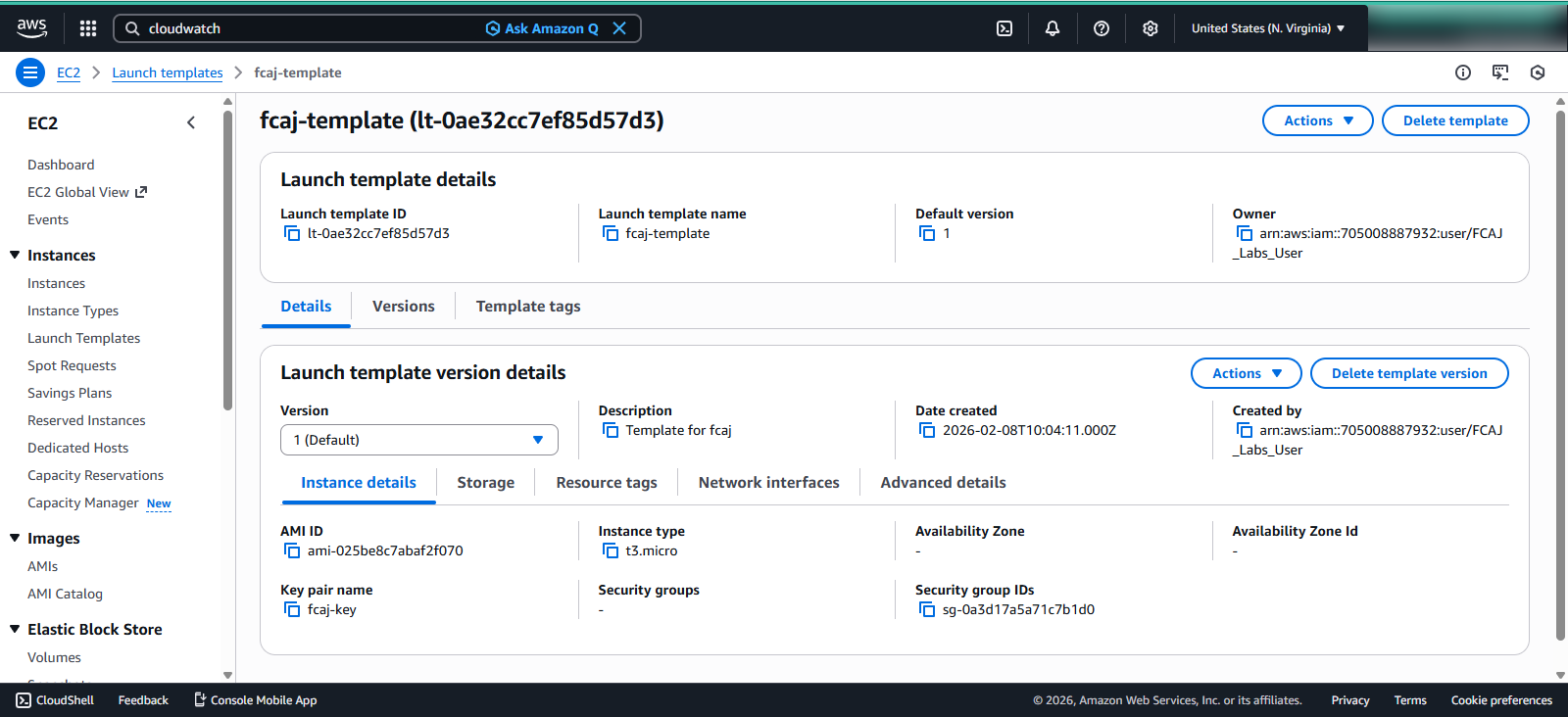
- Review the template configuration details to ensure all settings are correct
**💡 Tip:**Launch Templates support versioning, allowing you to iterate on your configuration while maintaining the ability to roll back to previous versions if needed.
🔒 Security Note: When creating Launch Templates, always follow the principle of least privilege by assigning only the necessary permissions to your instances through security groups and IAM roles.