Launch EC2 Instance
Launching an EC2 Instance
ℹ️ Information: In this section, we’ll launch an Amazon EC2 instance that will serve as the foundation for our Auto Scaling configuration. This instance will be used to create an Amazon Machine Image (AMI) for our Launch Template.
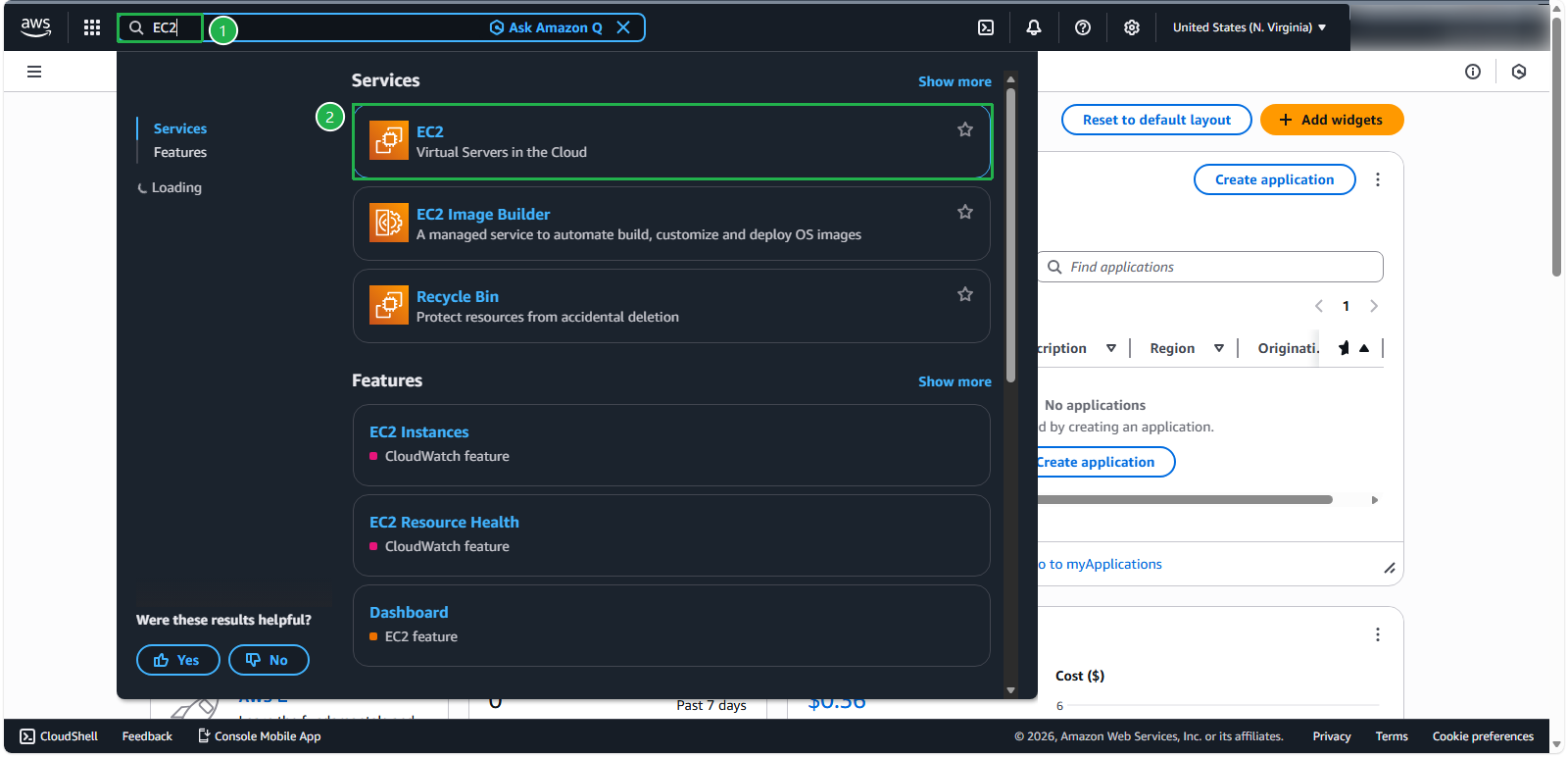
- Access the AWS Management Console. In the search bar, find and select EC2
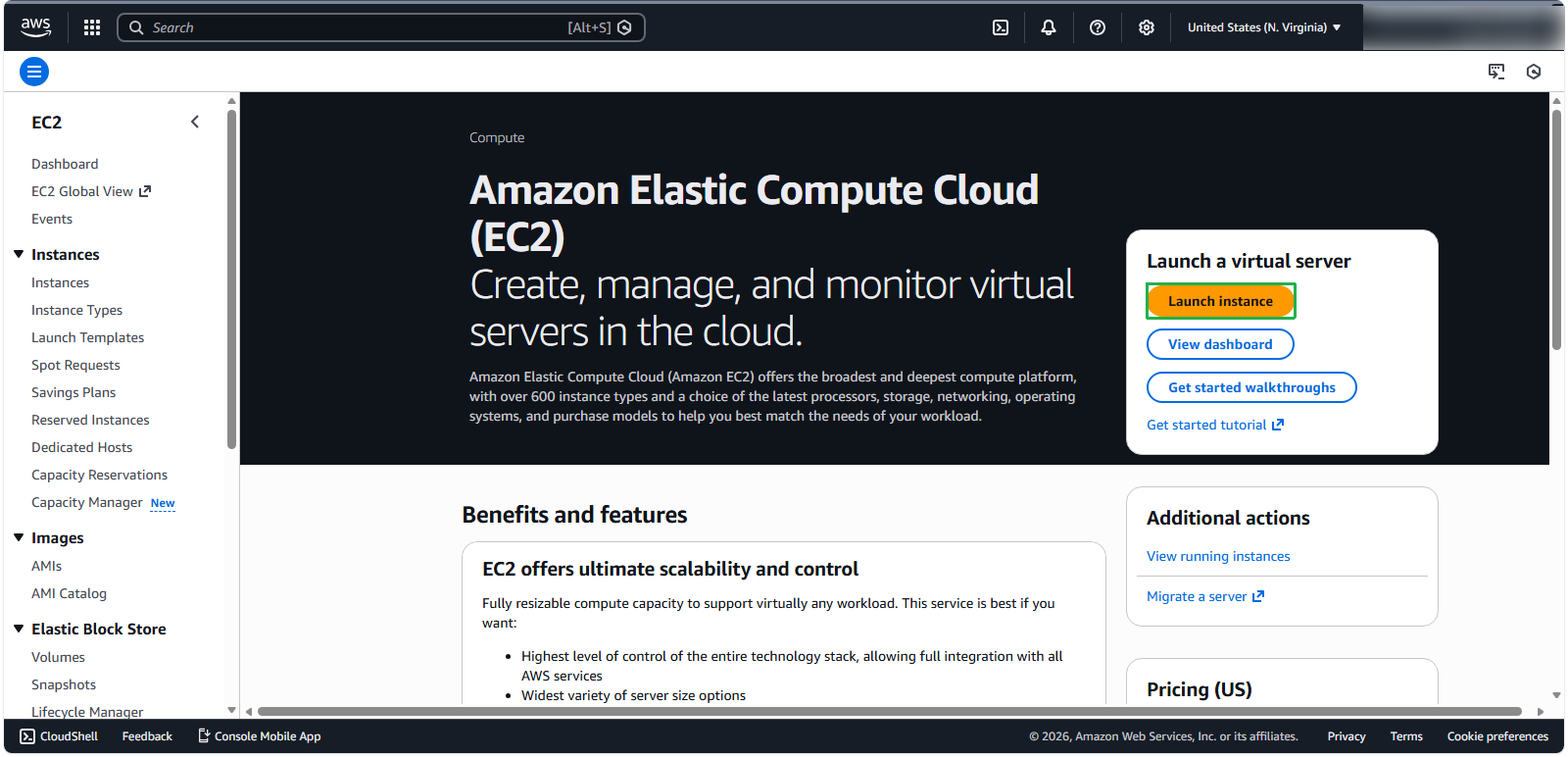
- In the EC2 console, click Launch instances
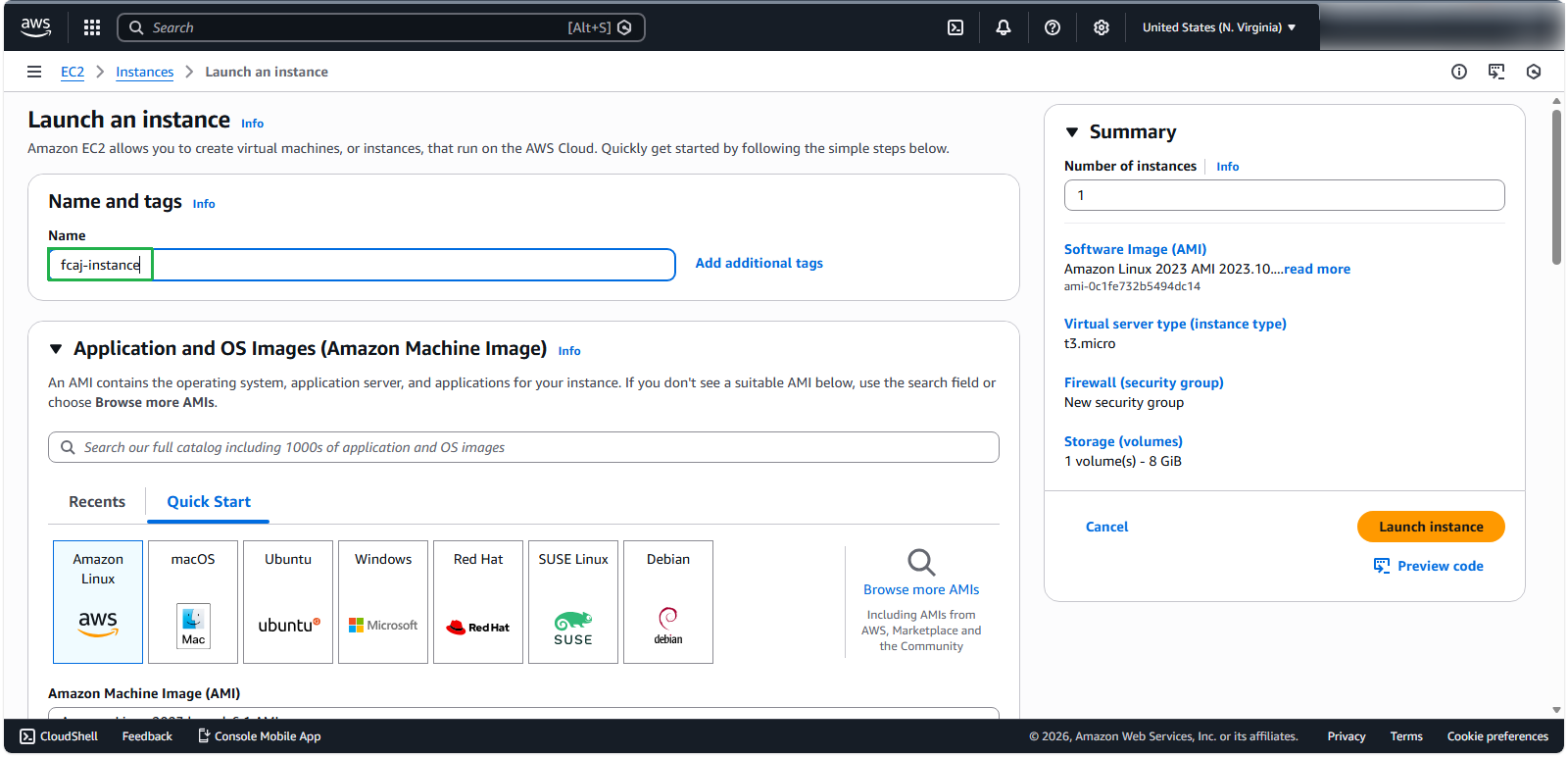
Configure Basic Instance Details
- For the instance name, enter
fcaj-instance
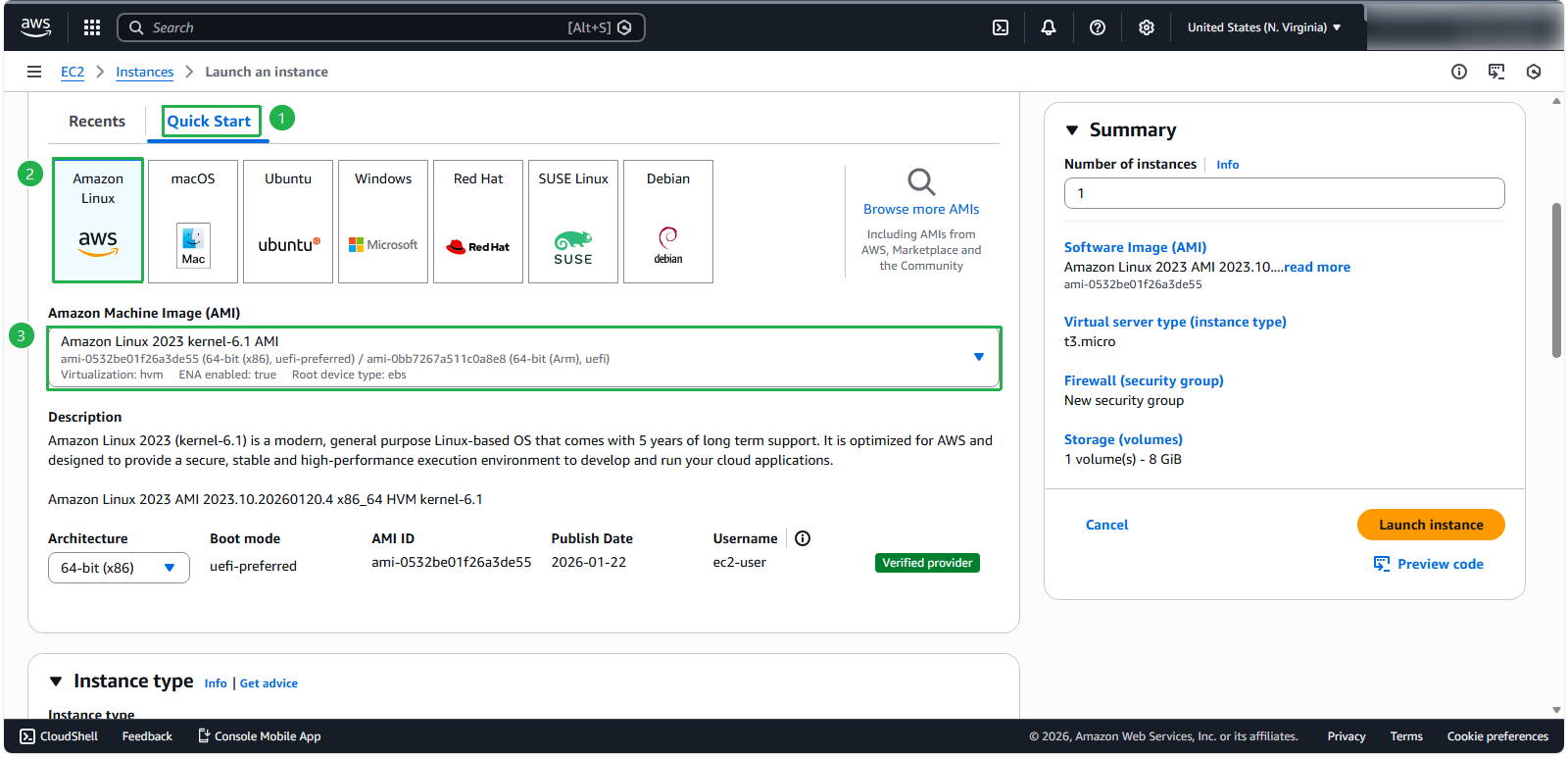
Select Amazon Machine Image (AMI)
- For the operating system:
- Select Quick Start
- Choose Amazon Linux
- Select Amazon Linux 2023 AMI
Configure Instance Type and Key Pair
- For compute resources:
- Select t3.micro instance type
- Click Create new key pair
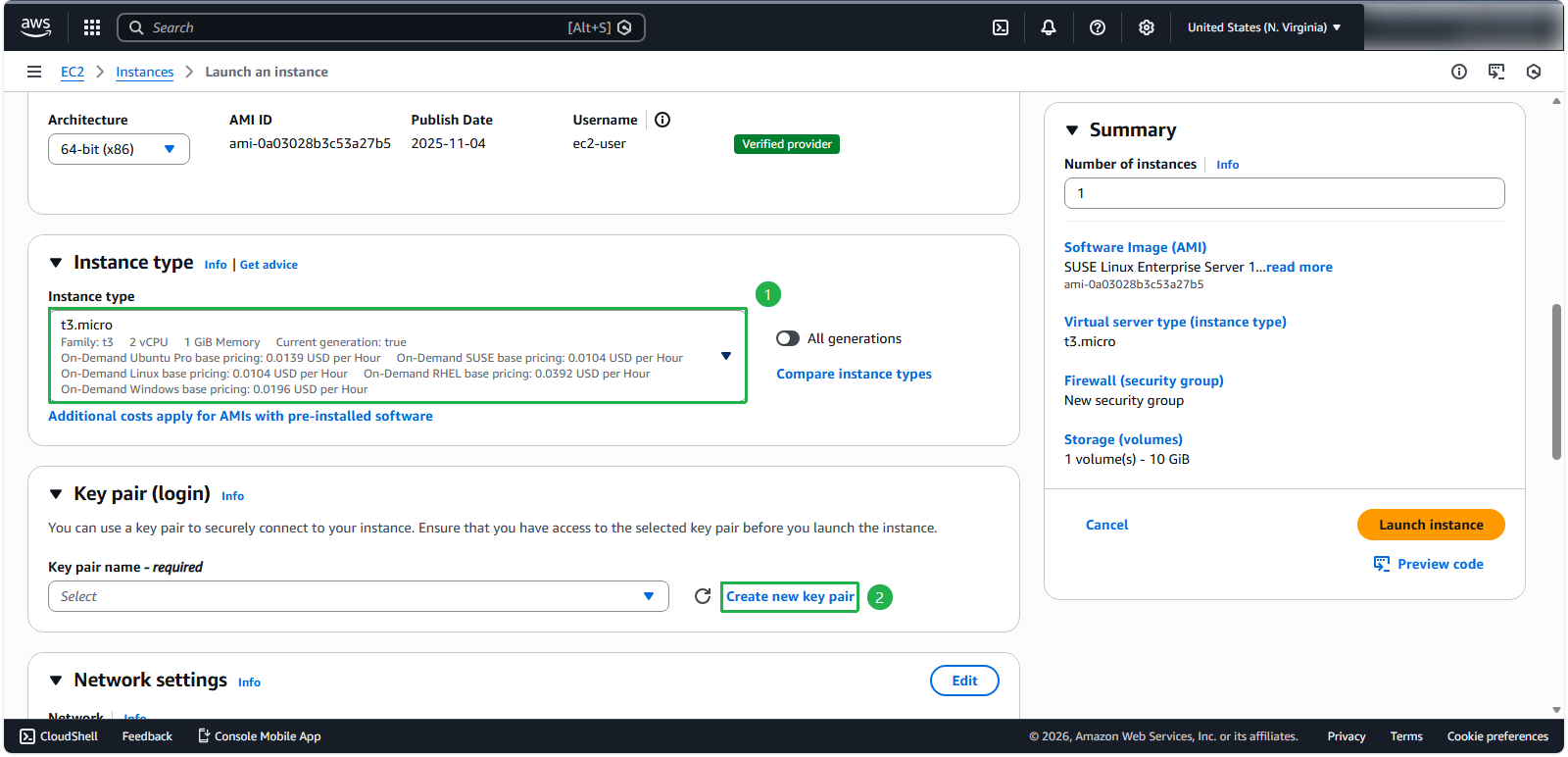
🔒 Security Note: The key pair is essential for secure SSH access to your instance. Store the private key securely and never share it.
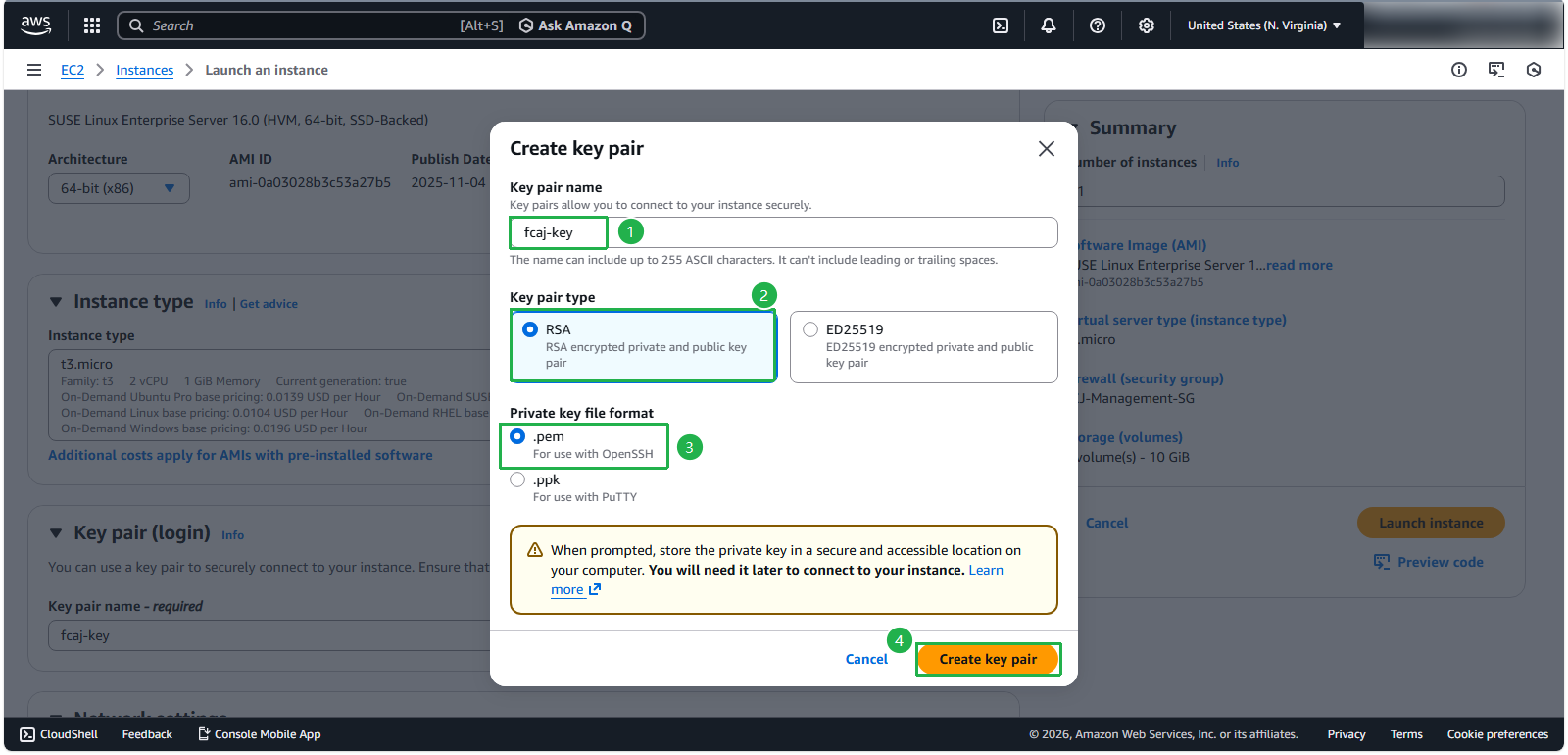
- Configure the key pair:
- Name:
fcaj-key - Key pair type: RSA
- Private key format: .pem
- Click Create key pair
- Name:
Configure Network Settings
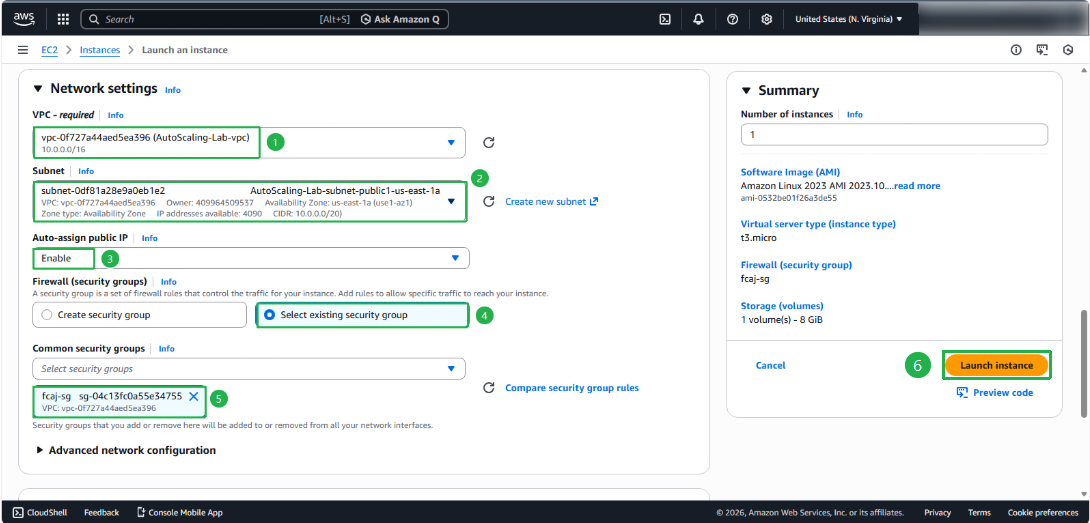
- For network configuration:
- Click the Edit button
- VPC: Select the VPC you created in the previous step
- Subnet: Choose a Public subnet
- Ensure Auto-assign public IP is enabled
- Select Select existing security group
- Choose fcaj-sg
- Click Launch instance
💡 Security Note: Placing this instance in a public subnet allows direct internet access, which is necessary for initial setup and configuration.
Review and Launch
- Verify your instance is launching:
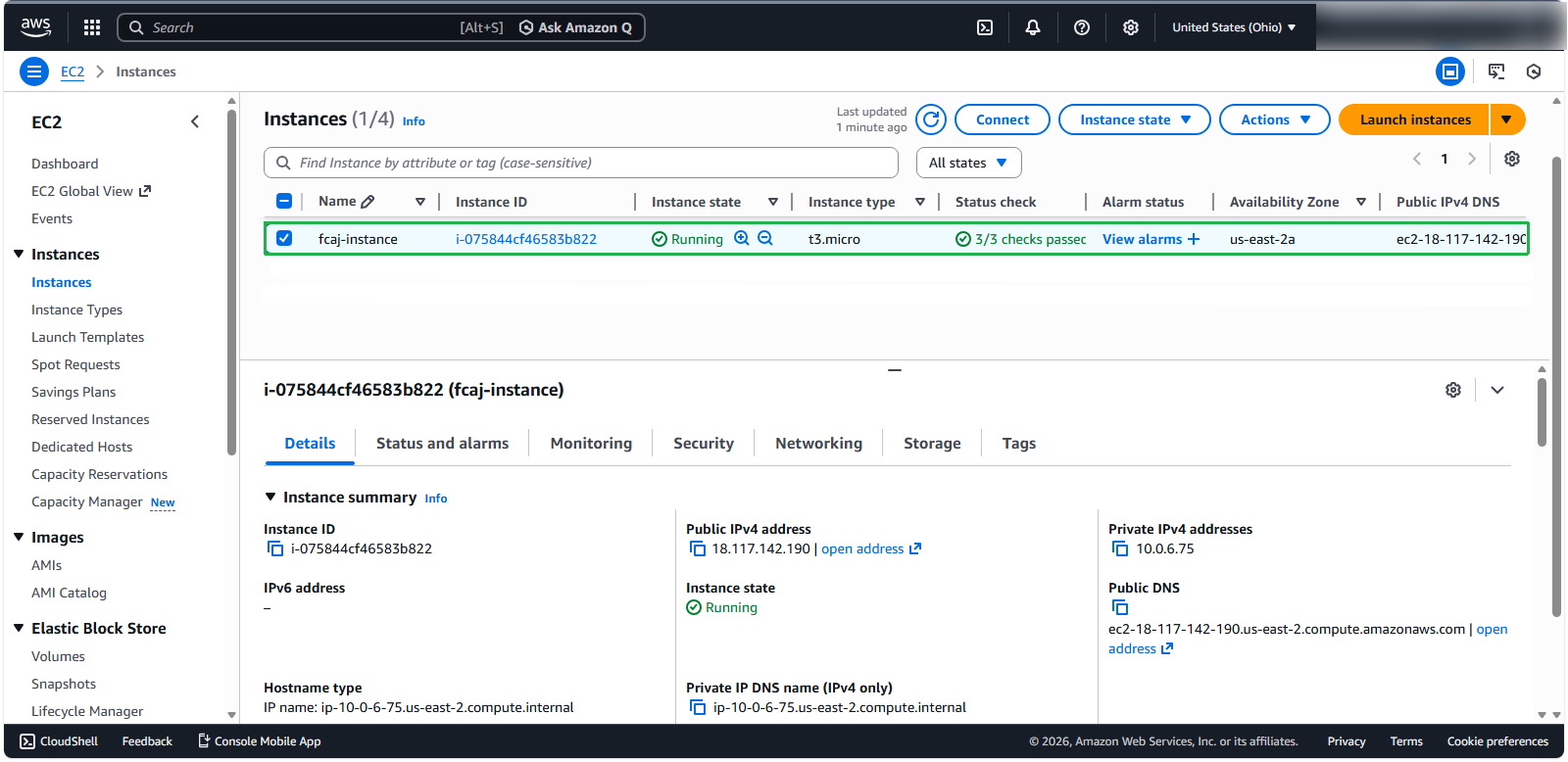
⚠️ Warning: After launching, your instance may take a few minutes to initialize. Wait until the instance state shows as “running” and status checks have passed before proceeding to the next step.