Create Load Balancer
Creating an Application Load Balancer
ℹ️ Information: Application Load Balancers operate at the application layer (Layer 7) and are ideal for HTTP/HTTPS traffic routing. They provide advanced request routing capabilities, support for containerized applications, and integration with AWS services.
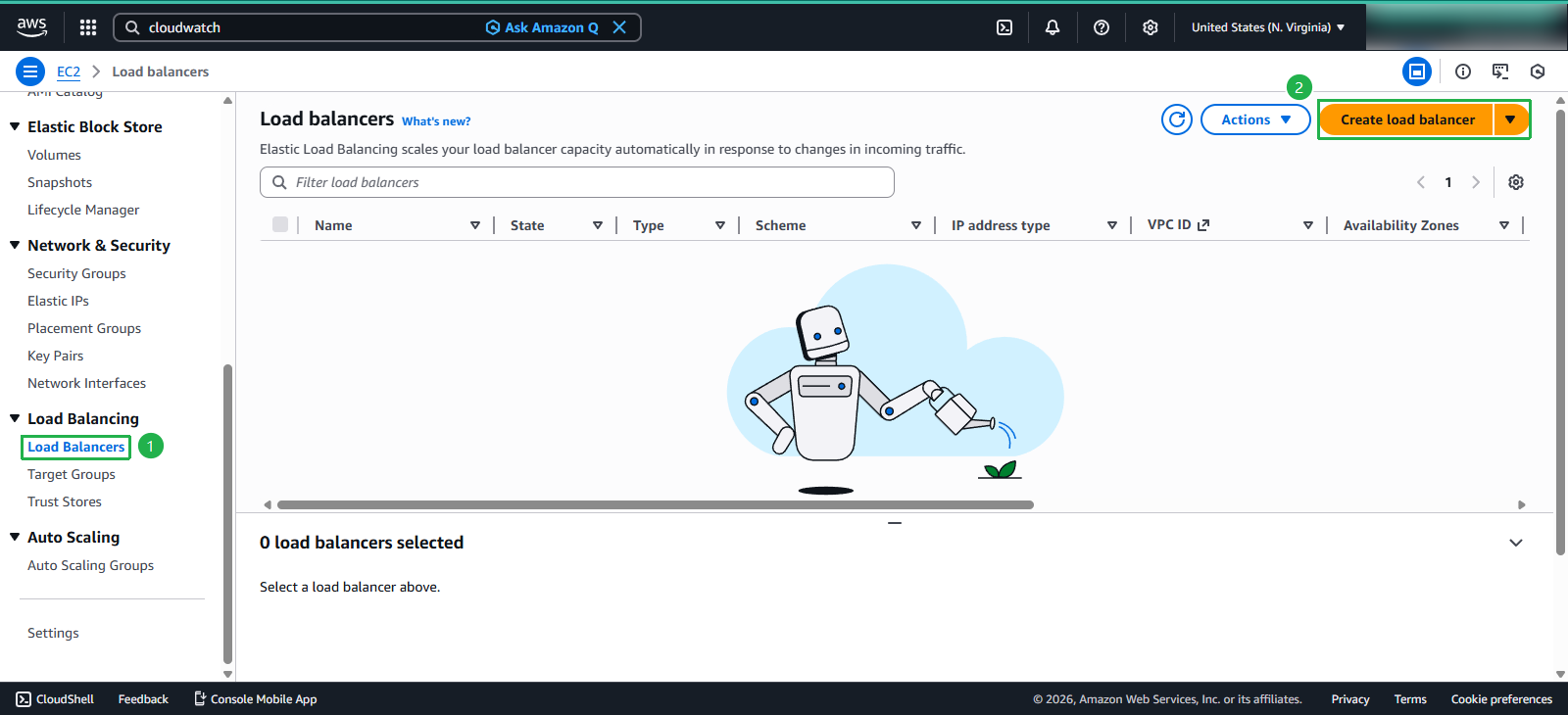
Navigate to the Load Balancer creation interface:
- In the EC2 console:
- Select Load Balancers from the left navigation pane
- Click the Create Load Balancer button
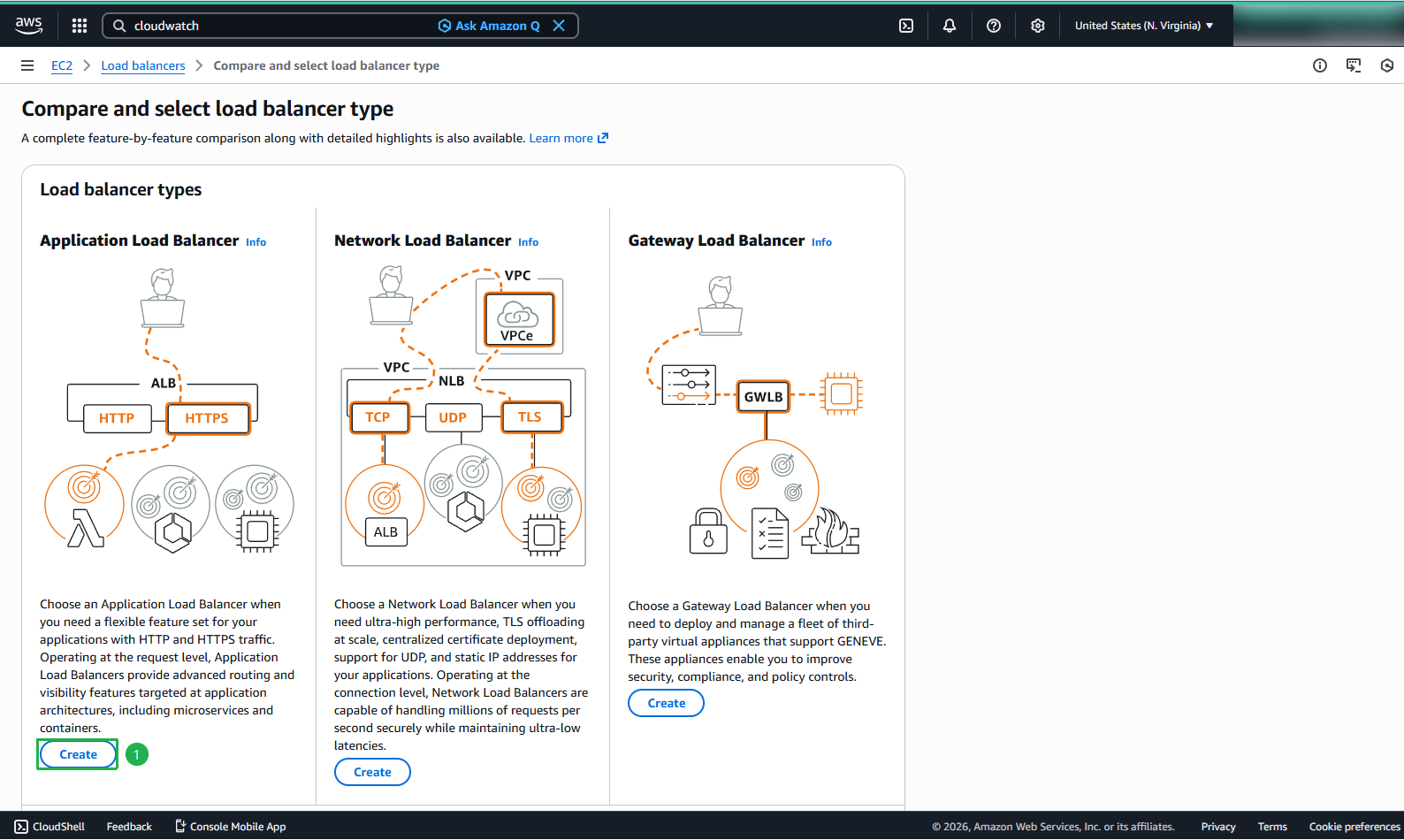
- In the Compare and select load balancer type panel:
- Locate the Application Load Balancer section
- Click Create
Configuring Load Balancer Settings
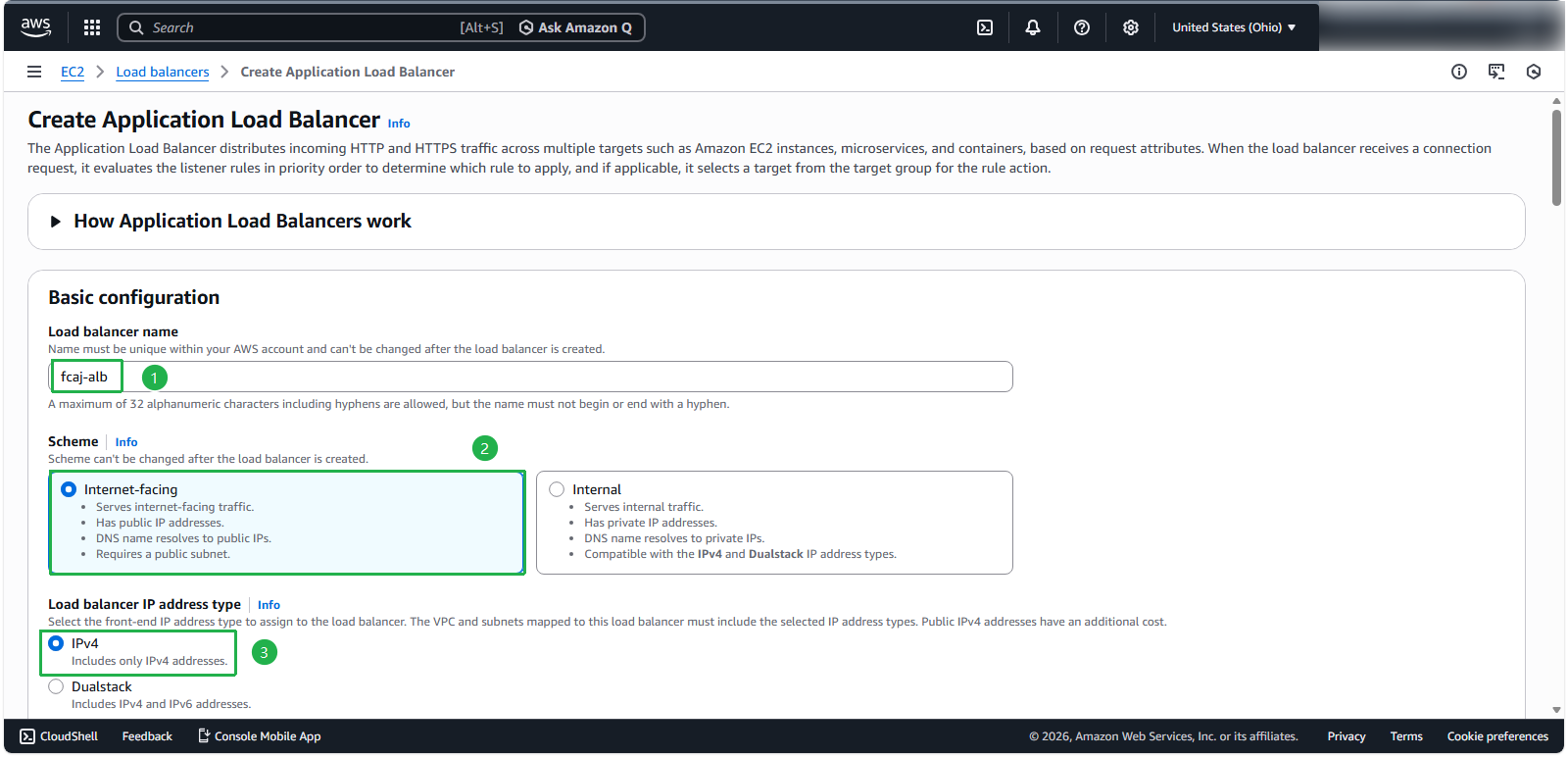
In the Create Application Load Balancer configuration panel:
- Basic configuration:
- Load balancer name:
fcaj-alb - Scheme: Internet-facing
- IP address type: IPv4
- Load balancer name:
- Network mapping:
- VPC: AutoScaling-Lab
- Availability Zones: Select all two public subnets in us-east-1a, us-east-1b
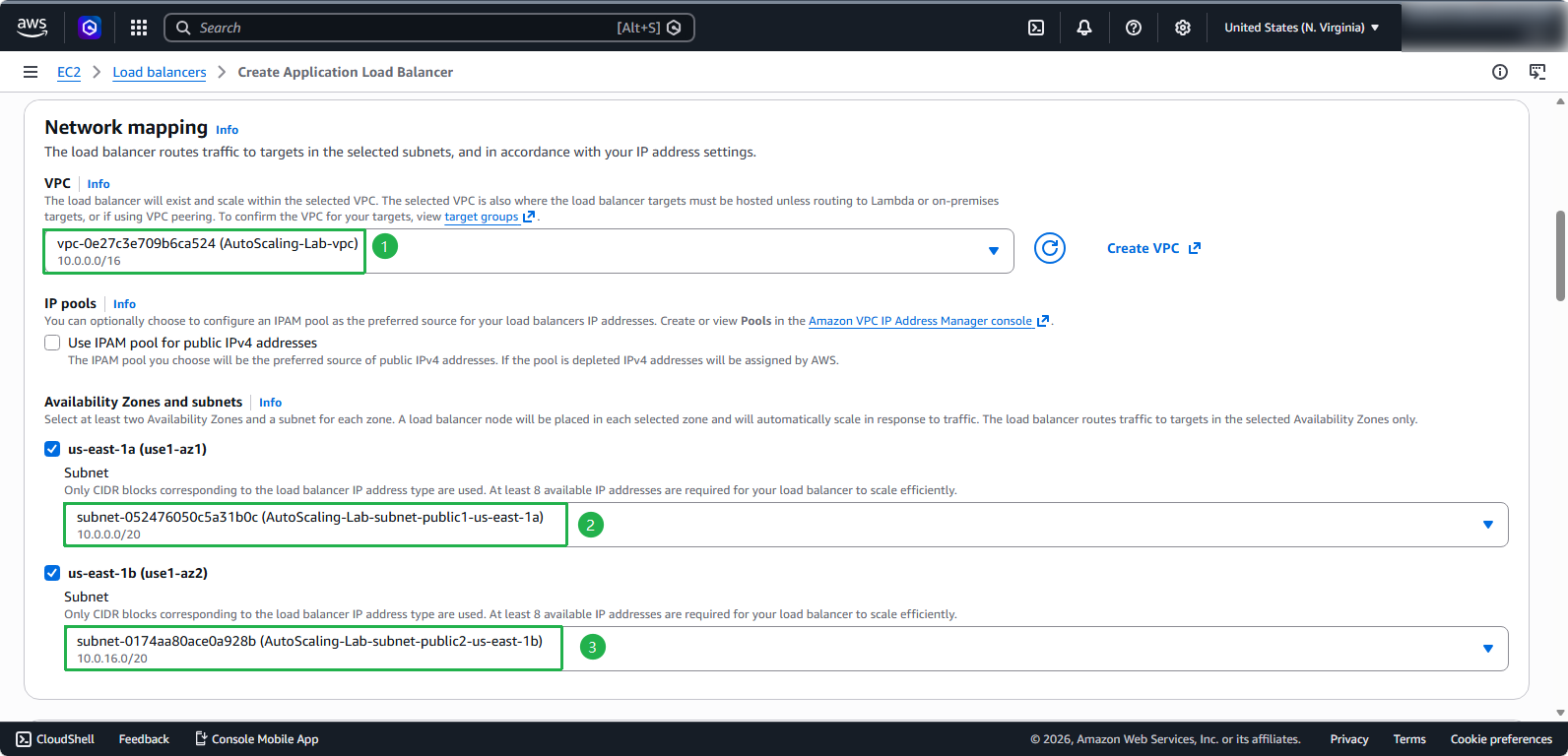
⚠️ Warning: Ensure you select only public subnets for internet-facing load balancers. Private subnets cannot receive traffic from the internet.
- Security and routing configuration:
- Security groups: fcaj-sg
- Listeners and routing: Set default action to forward to fcaj-tg
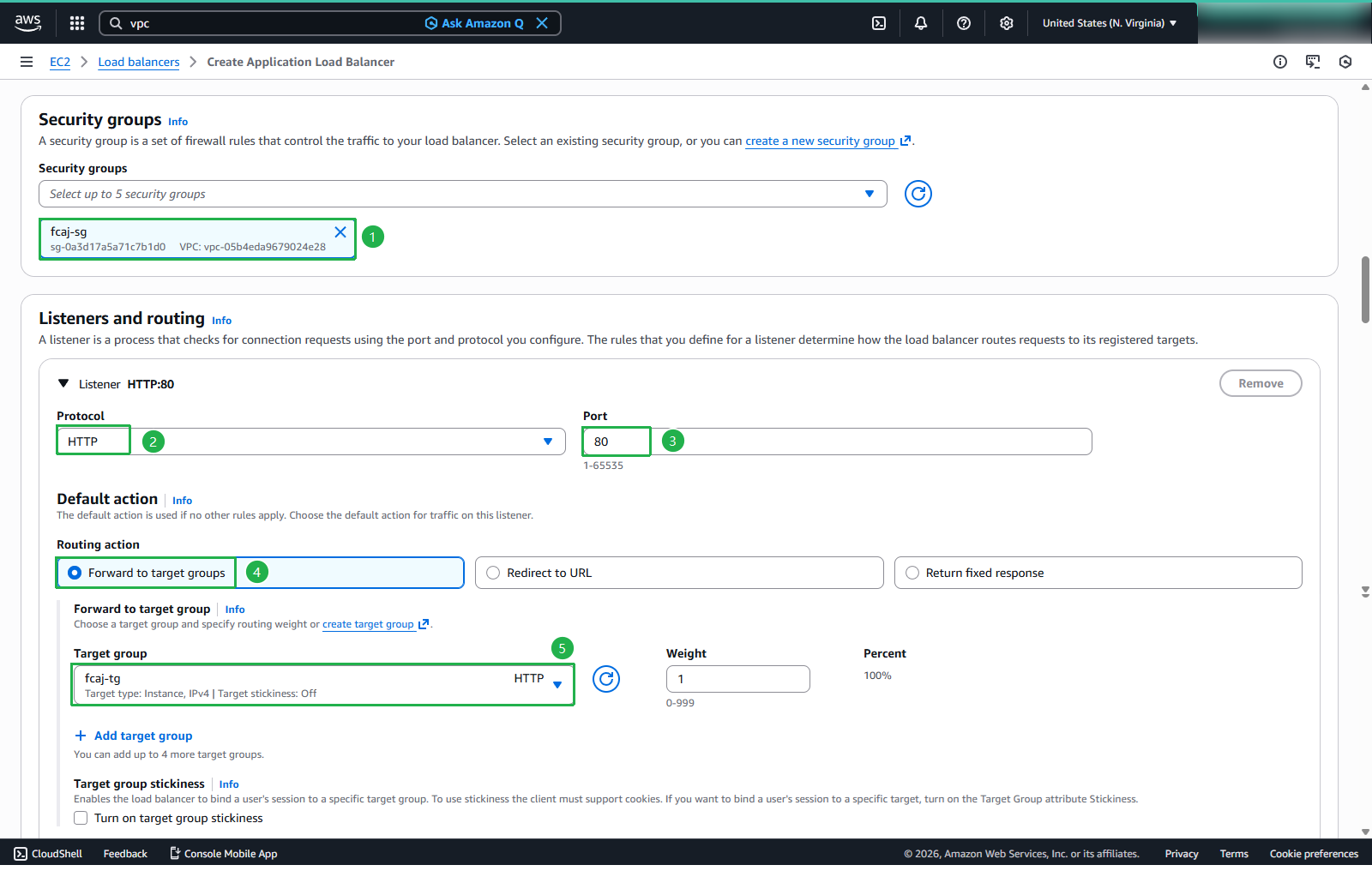
- Review the configuration summary:
- Verify all settings are correct
- Click Create load balancer
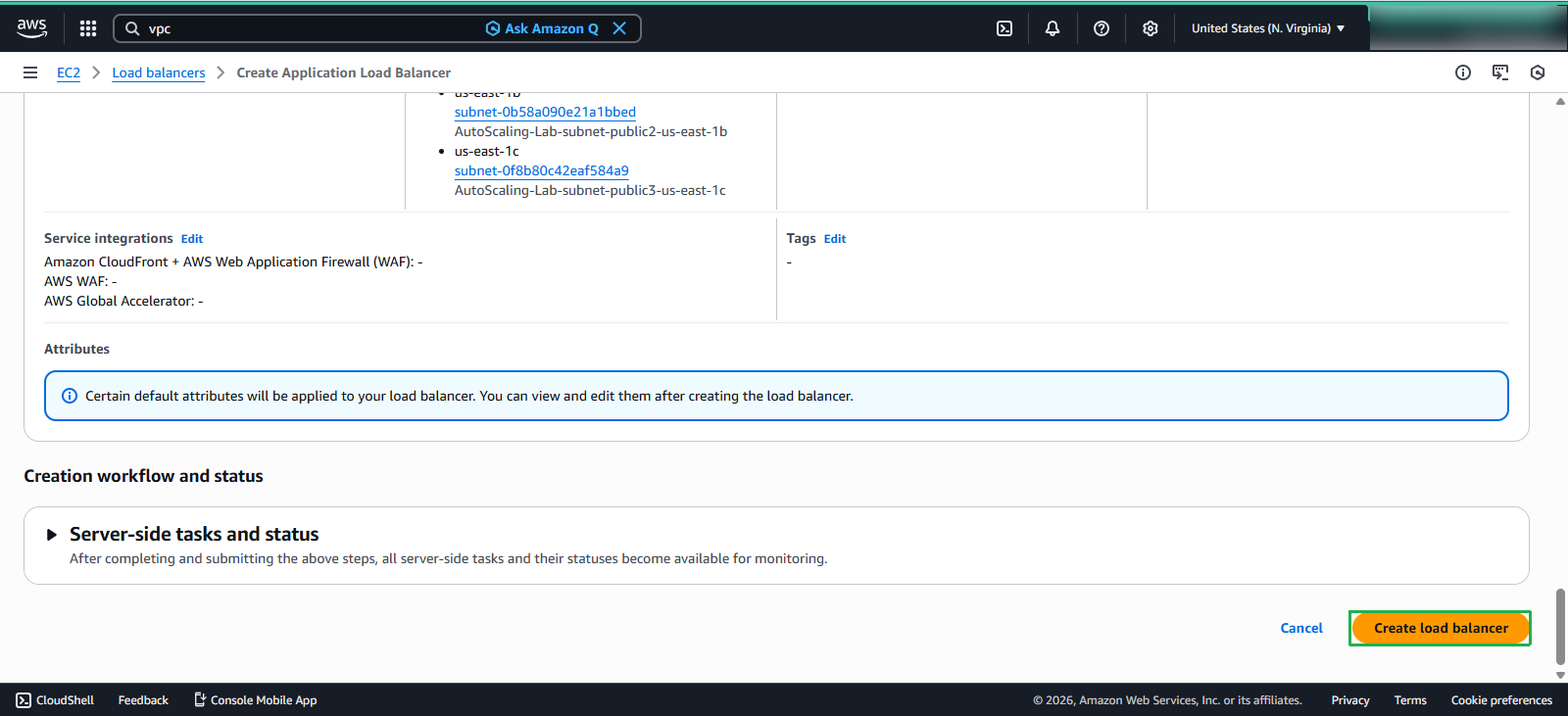
- Your Application Load Balancer (ALB) created successsfully
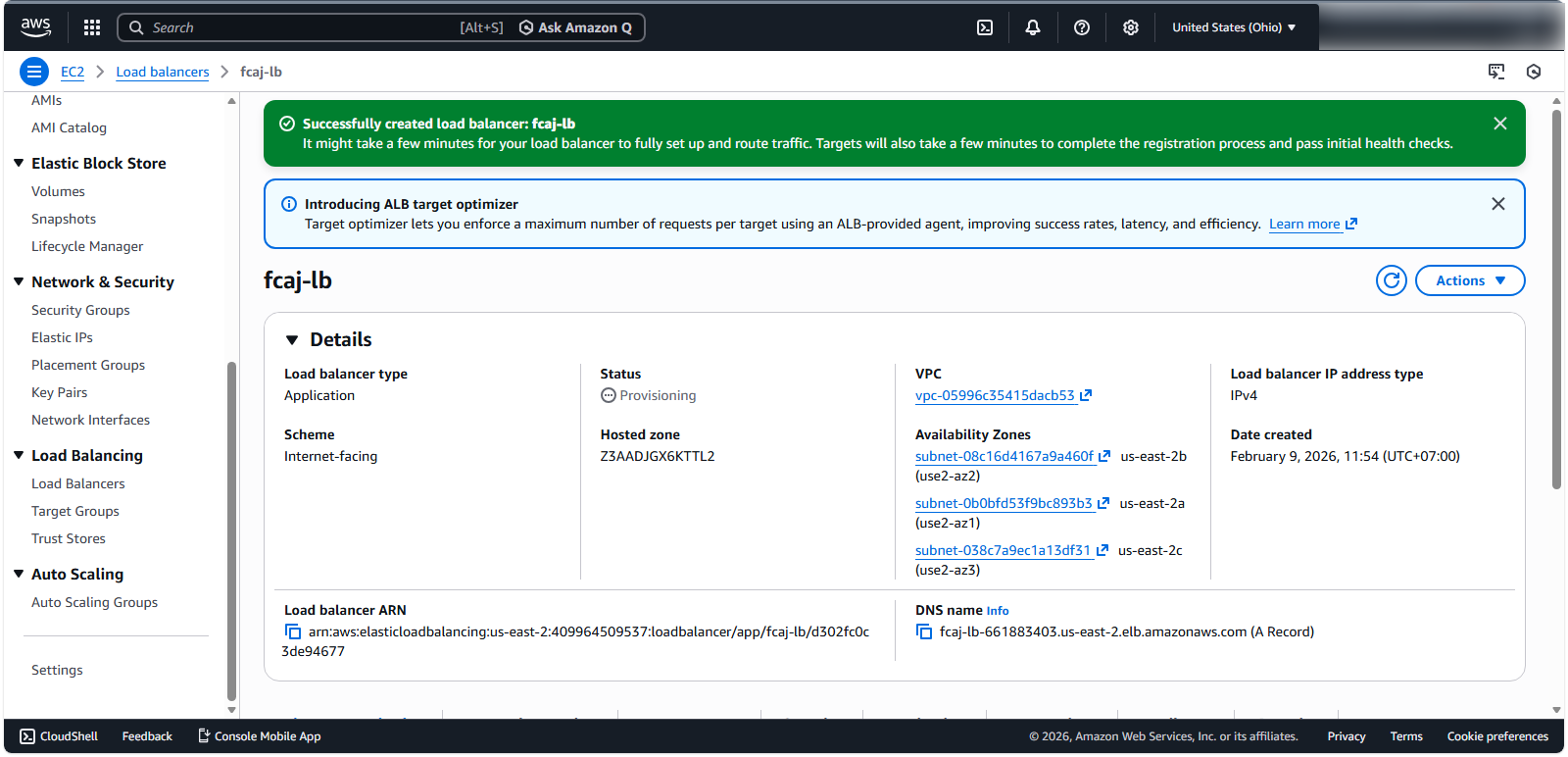
Verifying Load Balancer Deployment
After successful creation
- Explore the load balancer’s connections:
- Select Resource map - new to visualize the load balancer architecture
- Verify connections to target groups and registered targets
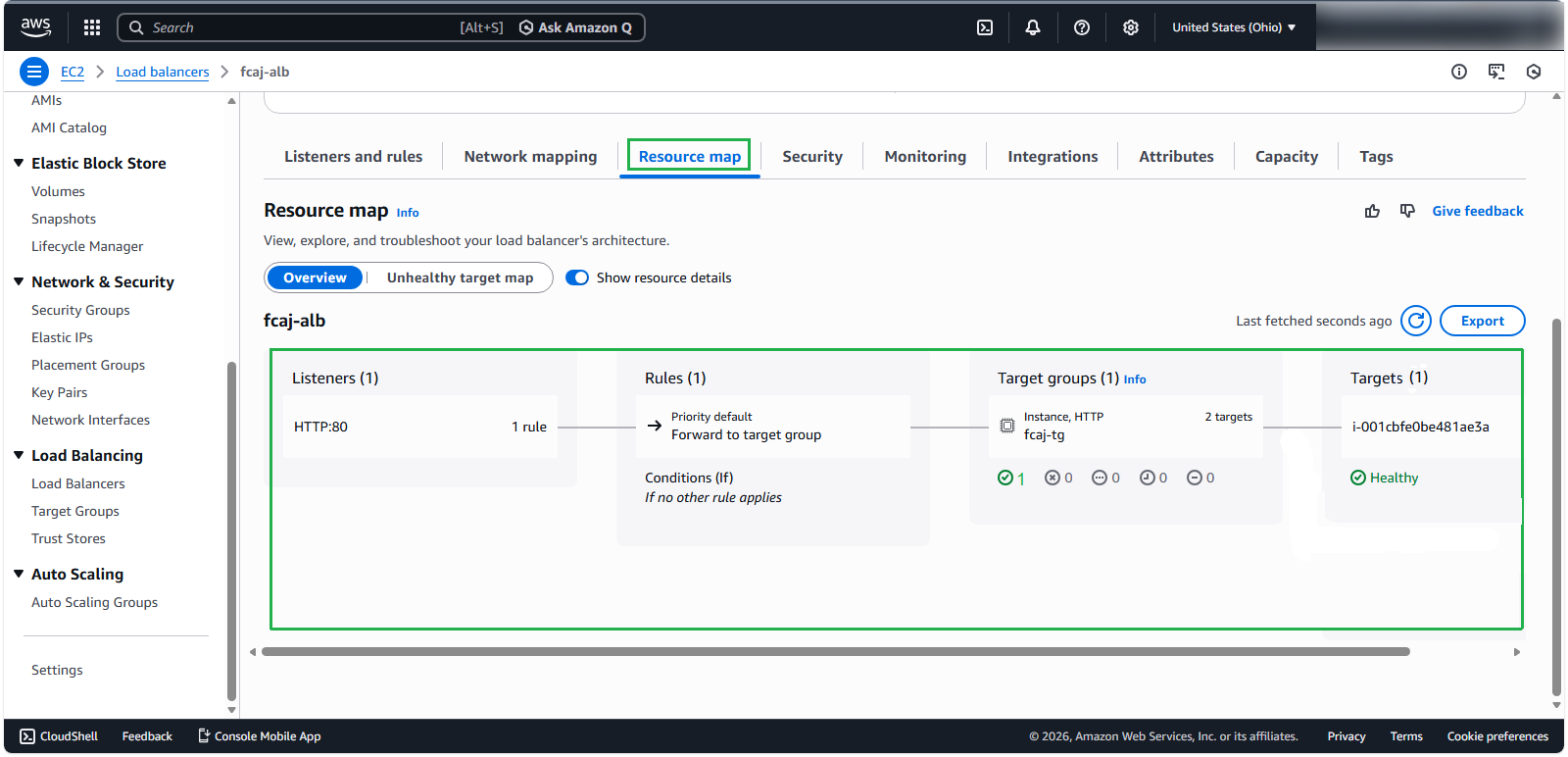
💡 Pro tip: Application Load Balancers support content-based routing, allowing you to route requests to different target groups based on URL paths, host headers, or query parameters. This enables microservices architectures where different services handle specific request patterns.
🔒 Security Note: For production workloads, consider implementing HTTPS listeners with certificates from AWS Certificate Manager (ACM) to ensure encrypted communication between clients and your load balancer.